Add Documents to a Contract Document Package
The Contract Document Package in the CD&E stage allows you to organize, manage, and prepare documents for contract execution.
When to Add Documents
You should add documents to the contract package when:
- You are preparing the contract for review, approval, or signature.
- You want to include documents from the project or upload new files to be part of the final contract.
To Add Documents
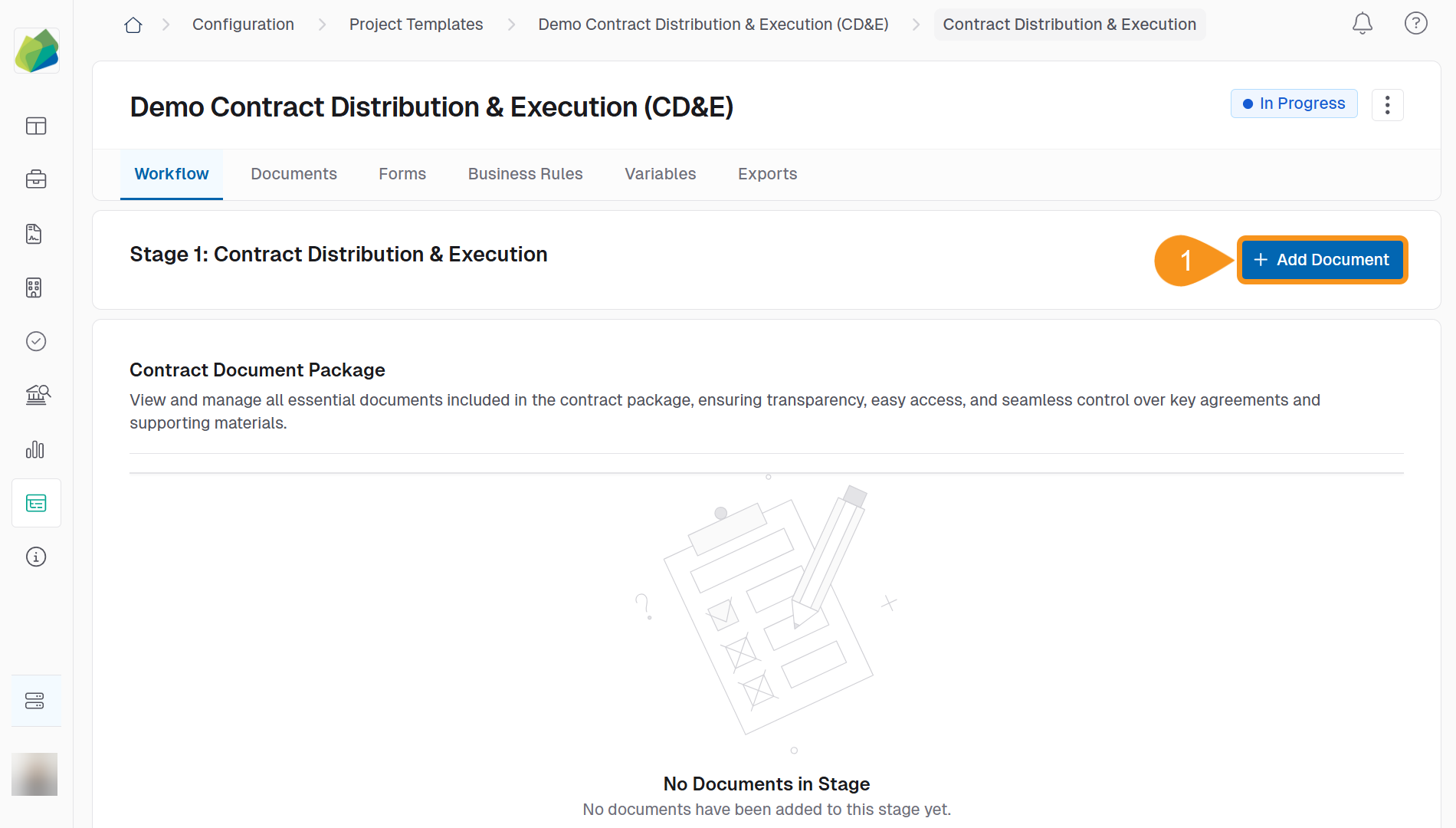
- From the project’s Contract Distribution & Execution stage, click + Add Document.
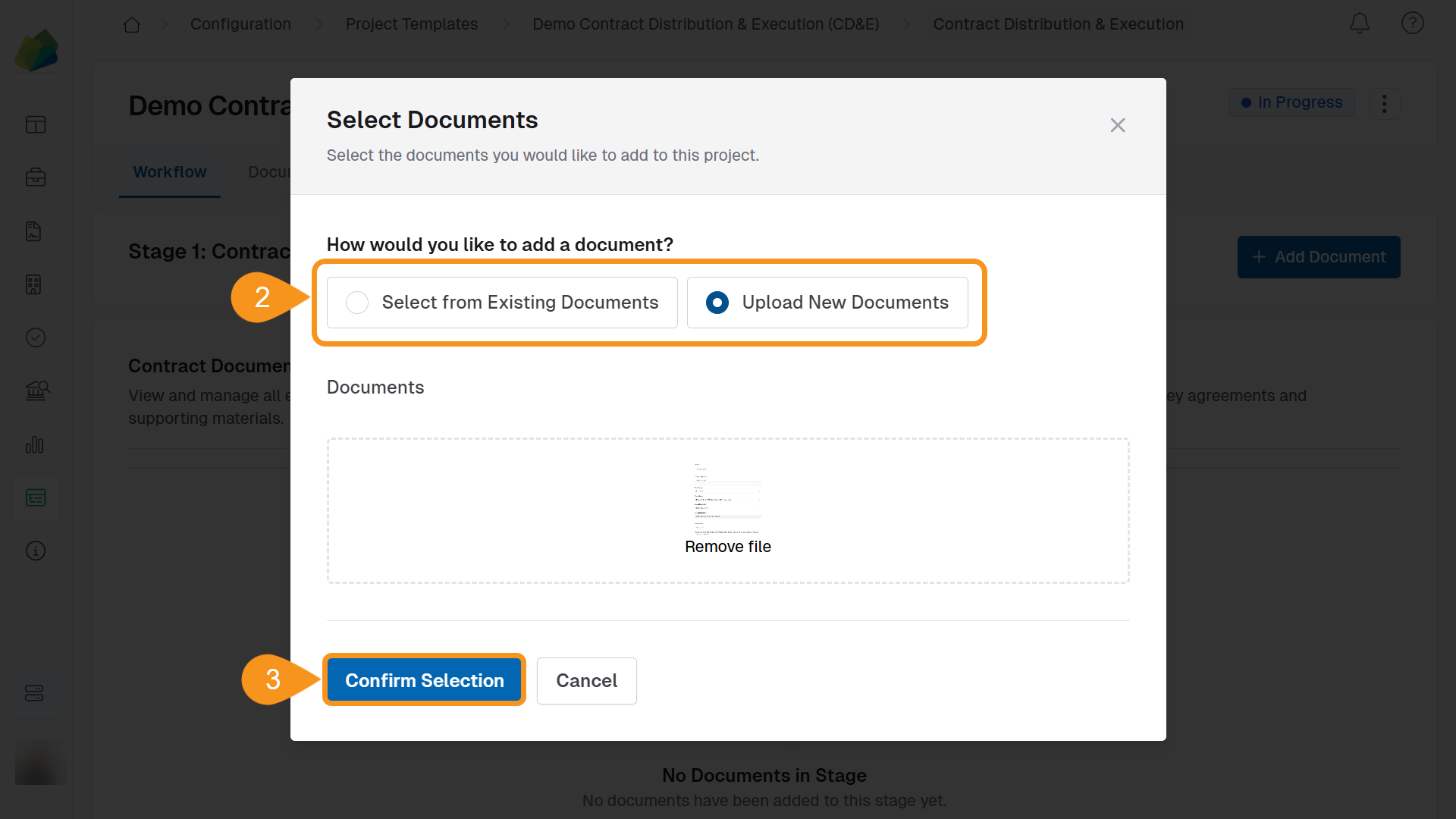
- Choose one of the following options:
- Select from Existing Documents: Search and select project documents.
- Upload New Documents: Upload new files from your computer.
- Click Confirm Selection to add the documents to the Contract Document Package.
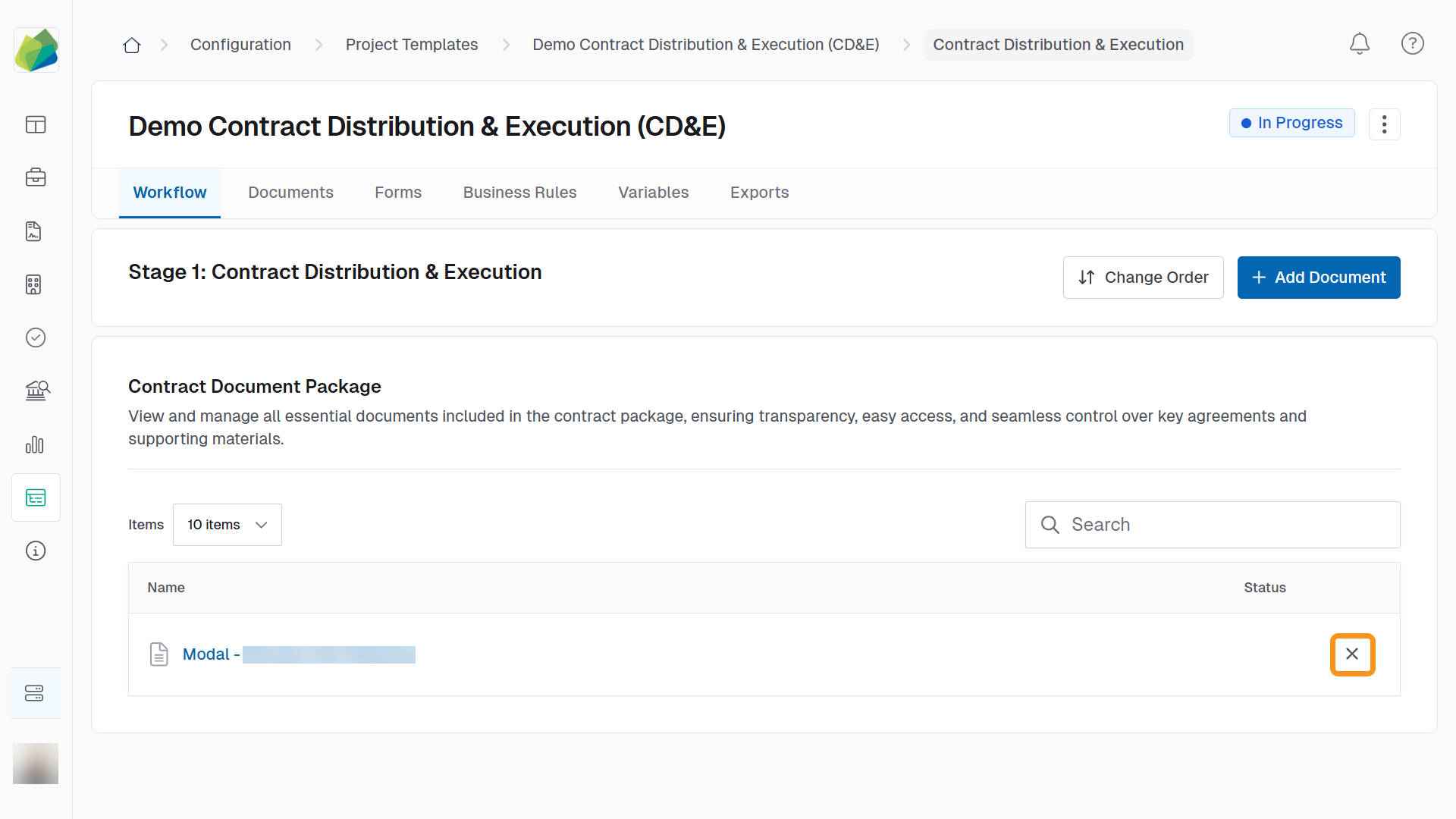
After adding or uploading documents, you can view them by clicking their names in the Contract Document Package table.
To Remove Documents
Click the X beside it in the package.
See Also
To complement your knowledge of this process, check the following pages: