Move User Components
This how-to guide explains how to move User Components within a Form Template in Authorium. Rearranging components helps structure the form logically and improves the user experience.
Currently, the available User Components are:
- User Select
- User Field
When to Move User Components
You should move User Components when you need to:
- Adjust the layout of a form to reflect a more logical flow.
- Group user-related fields (e.g., approvers, user details) together.
- Improve usability and readability of the form.
To Move a User Component
- Click & hold the User Component you want to move.
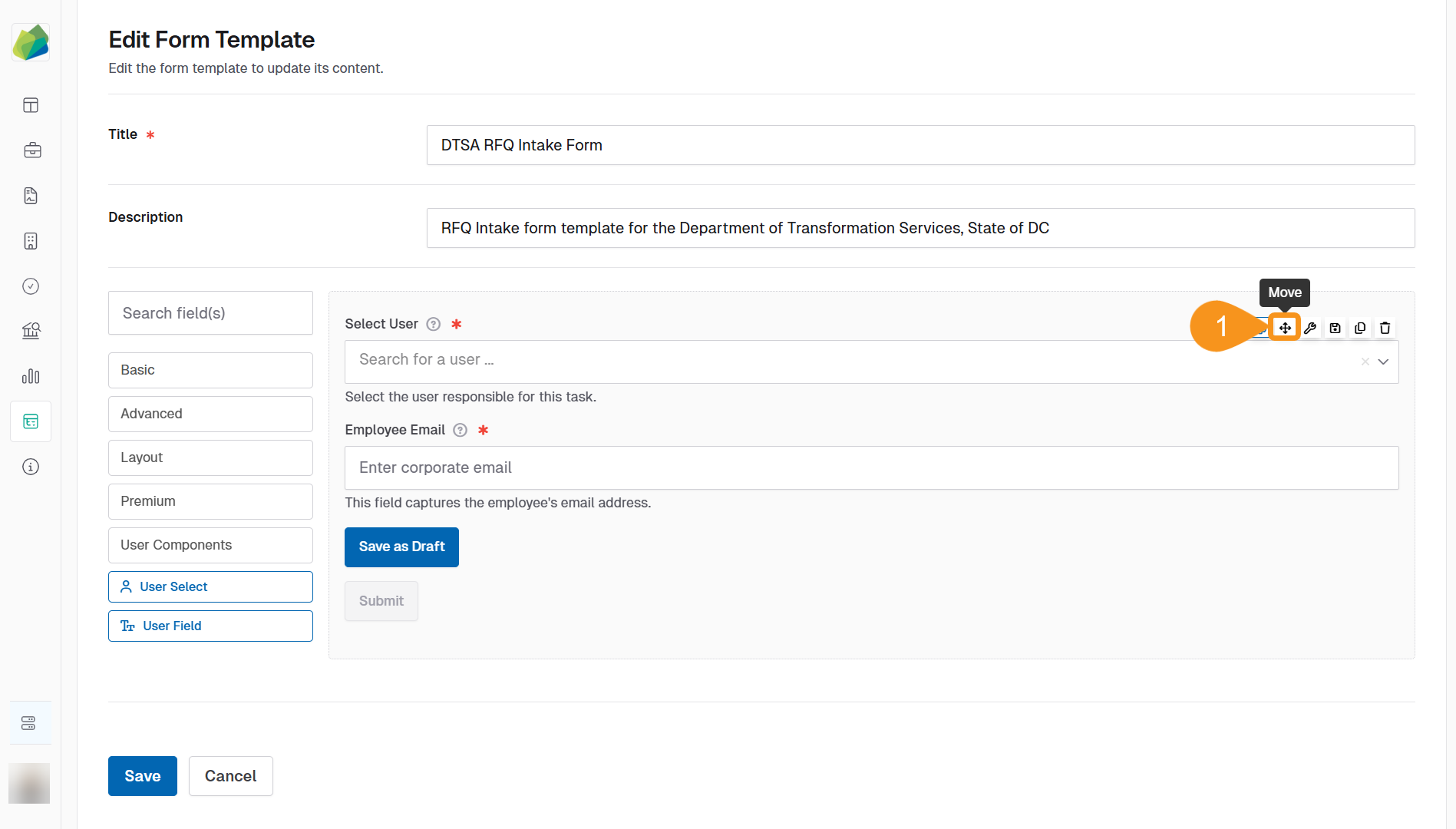
- Drag the component to its new location within the form.
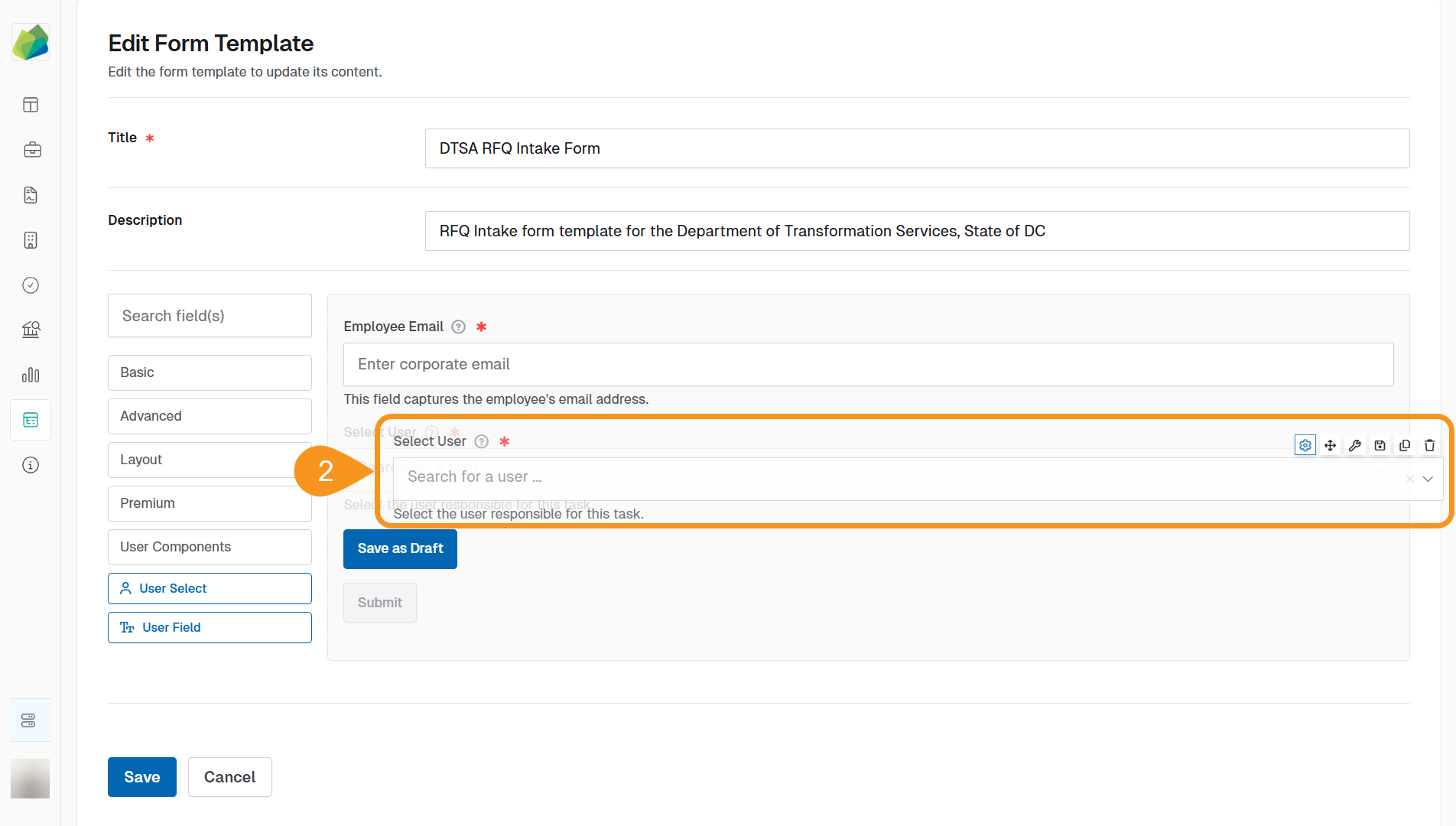
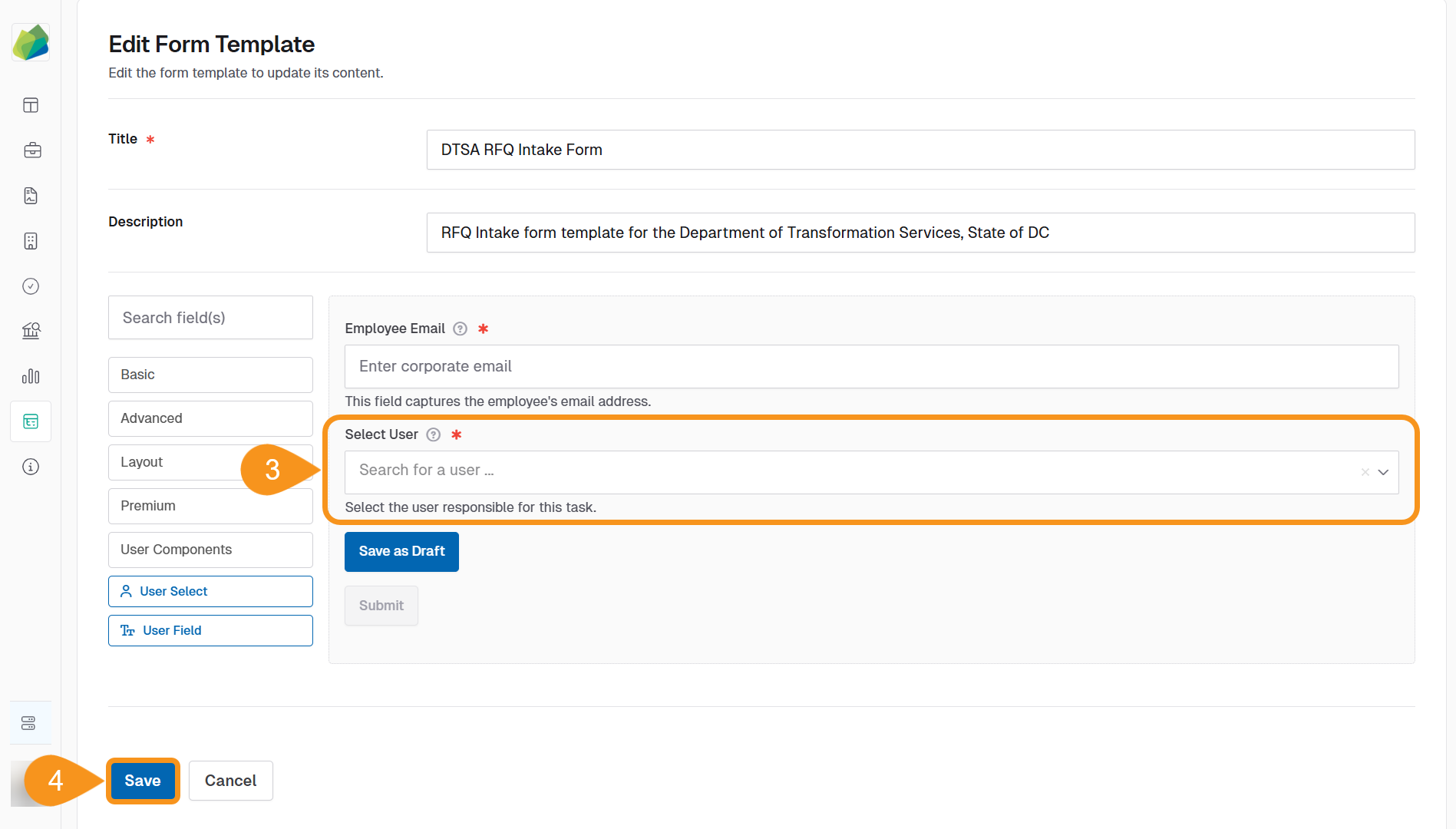
- Drop the component when it reaches the desired position.
The form will automatically update the component order once you drop it into place. - Click Save in the form template builder to apply the changes to the template.
See Also
To complement your knowledge of this process, check the following pages: