Remove User Components
This how-to guide explains how to delete User Components from a Form Template in Authorium. Removing obsolete or redundant fields keeps the form concise and ensures users provide only the information that matters.
When to Remove User Components
You should remove a user component when you need to:
- Eliminate fields that are no longer required.
- Simplify the form to improve completion rates.
- Replace a component with a more suitable user field type (e.g., switch from User Field to User Select).
To Remove a User Component
- Hover over a User Component to display the action buttons.
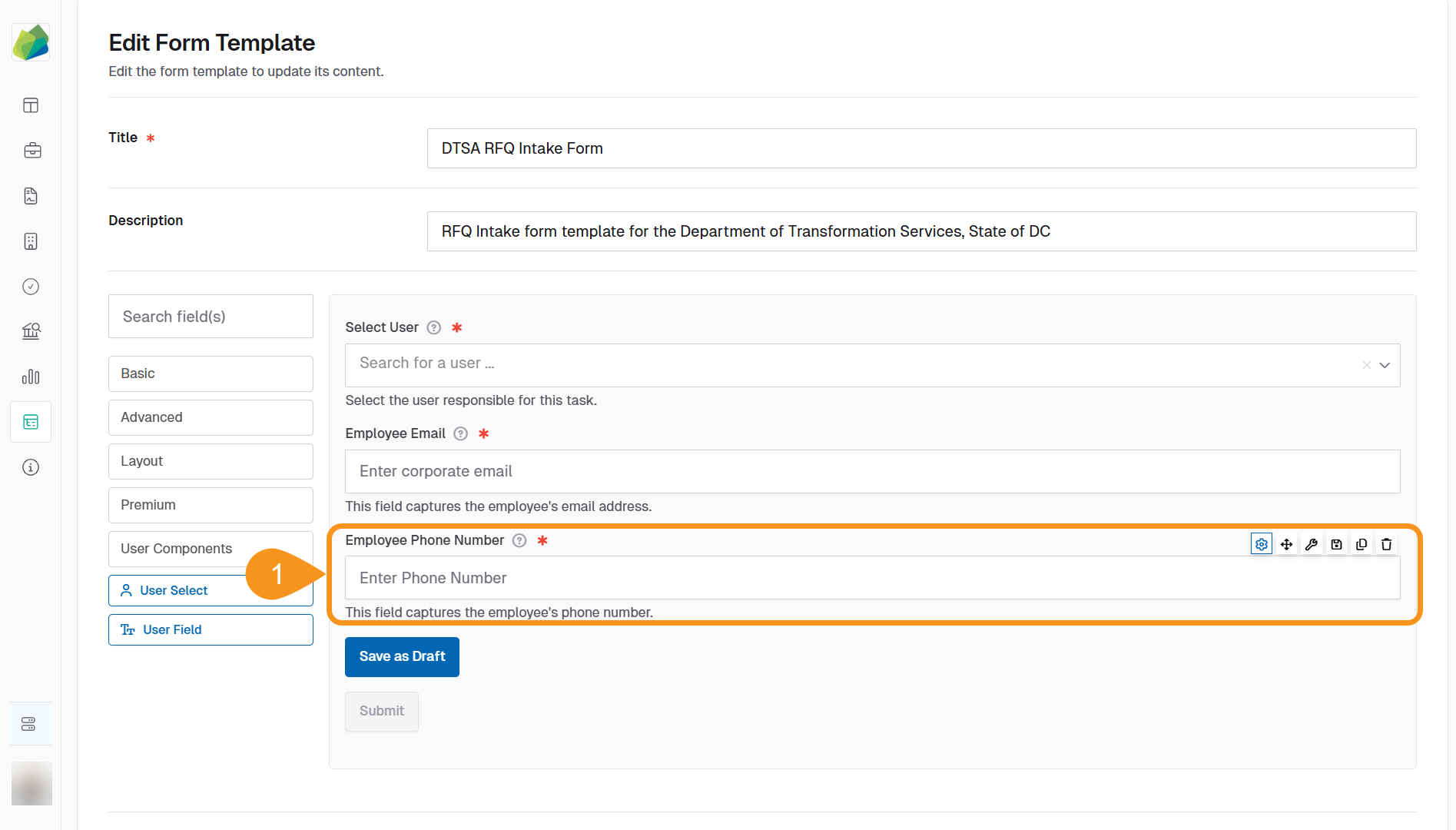
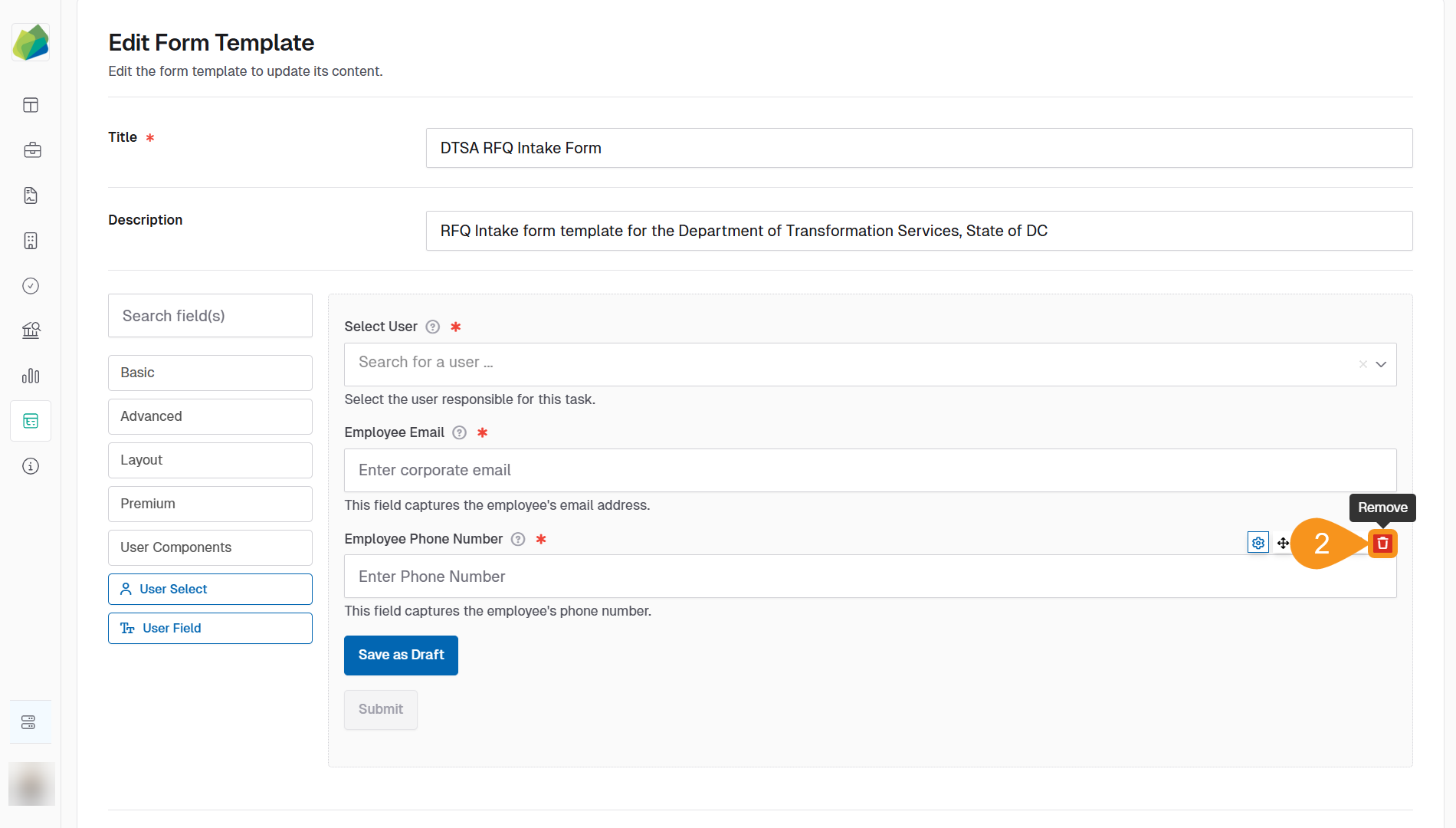
- Click the Remove button located above the component.
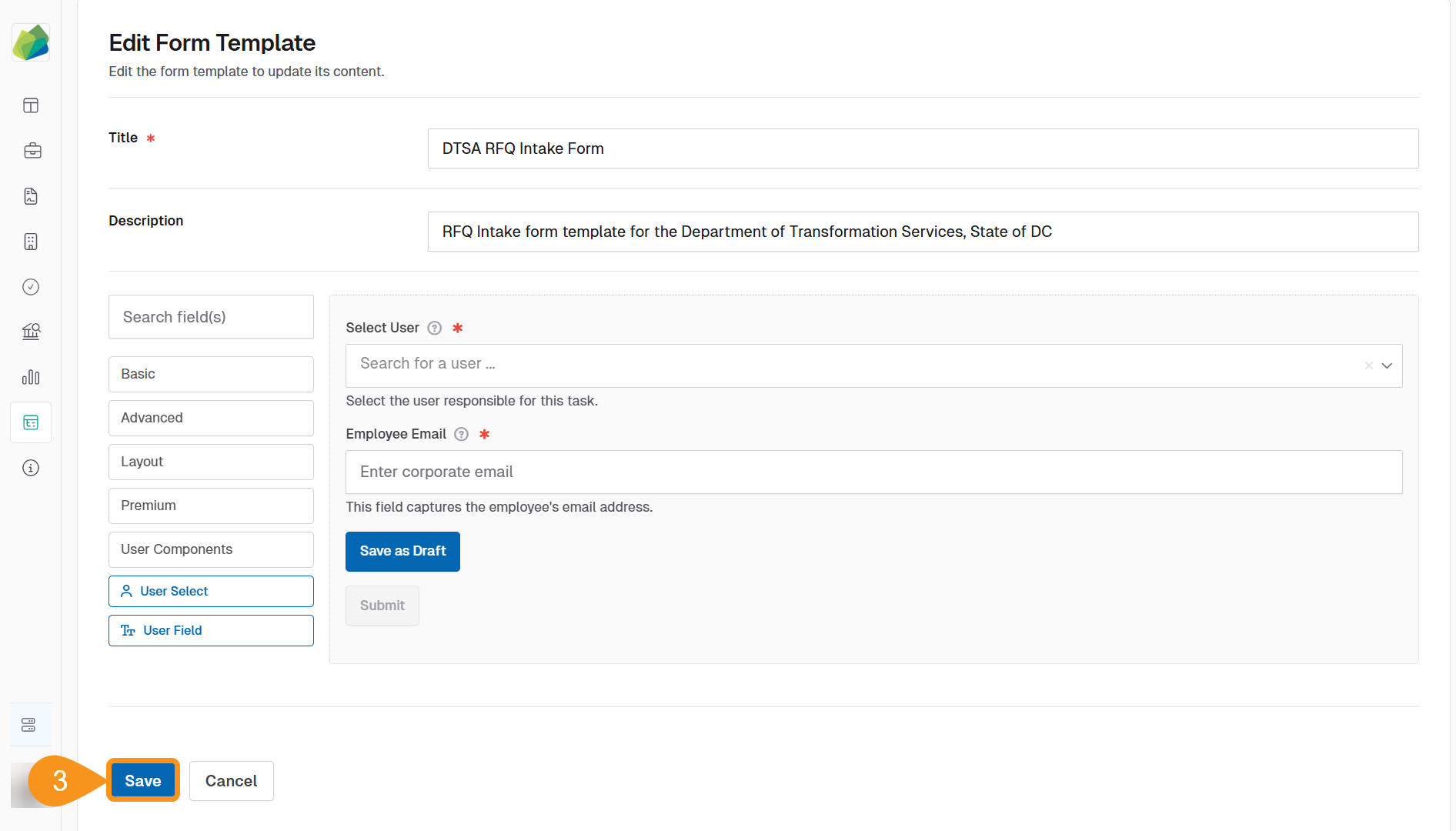
- Click Save to confirm the deletion.
Important
Once you save the Form Template, the deletion is irreversible. If you need the field later, you must add and configure it again from scratch.
See Also
To complement your knowledge of this process, check the following pages: