Add an Online Submission Stage to Projects
This guide explains how to add the Online Submissions stage to a project template workflow in Authorium.
The Online Submissions stage is used after publishing a solicitation to suppliers, allowing them to upload their proposals in a secure and structured way. It helps ensure compliance with requirements, improves traceability, and simplifies the evaluation process.
When to Add an Online Submissions Stage
You should add an Online Submissions stage when you need to:
- Collect supplier proposals electronically after publishing a solicitation.
- Ensure all required documents are submitted in the correct format.
- Maintain transparency and traceability of submissions.
- Streamline evaluation by centralizing supplier responses.
To Add an Online Submissions Stage
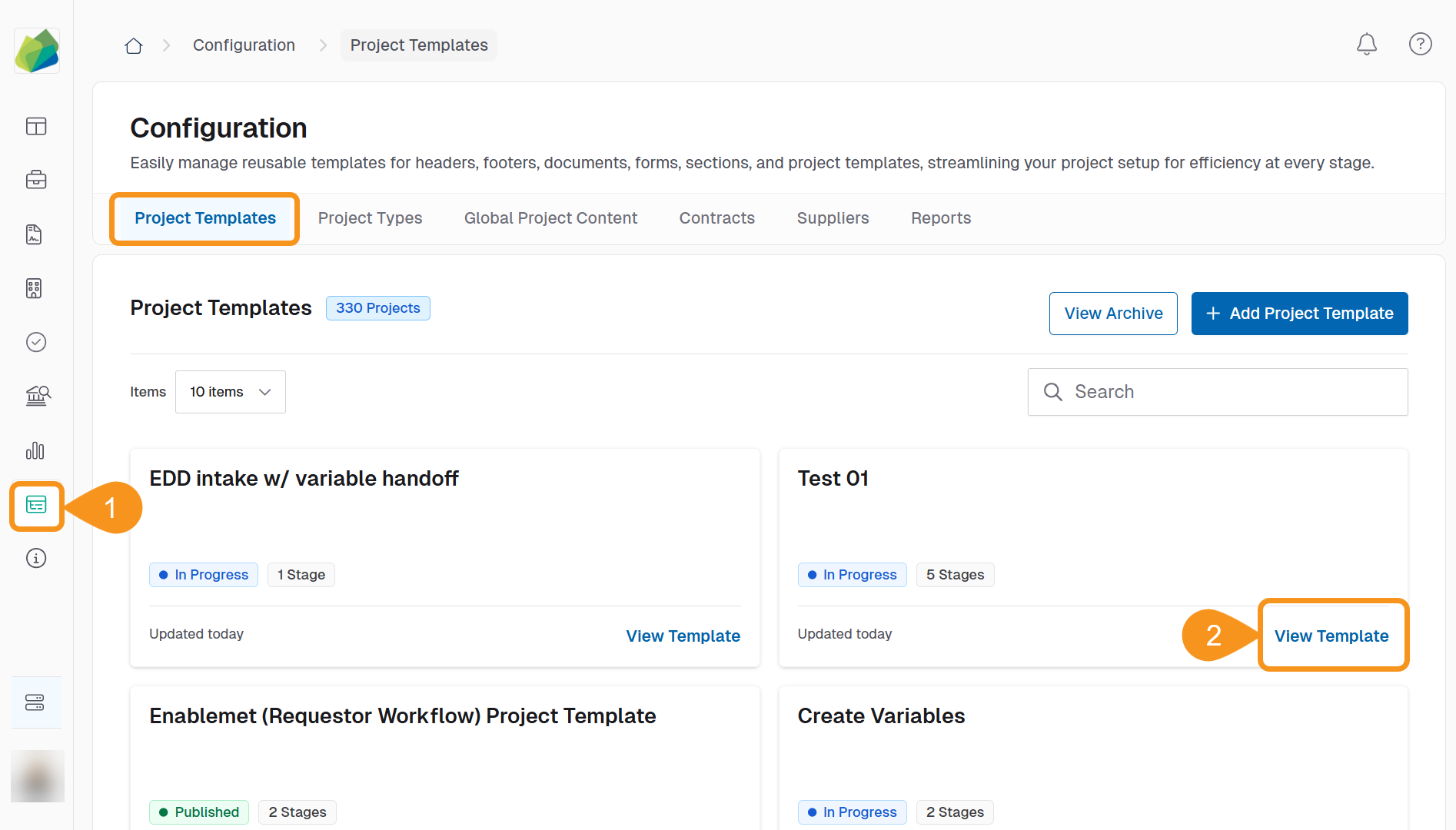
- Go to the Configuration section from the sidebar.
- In the Project Template tab, click View Template next to the template you want to add an online submissions stage.
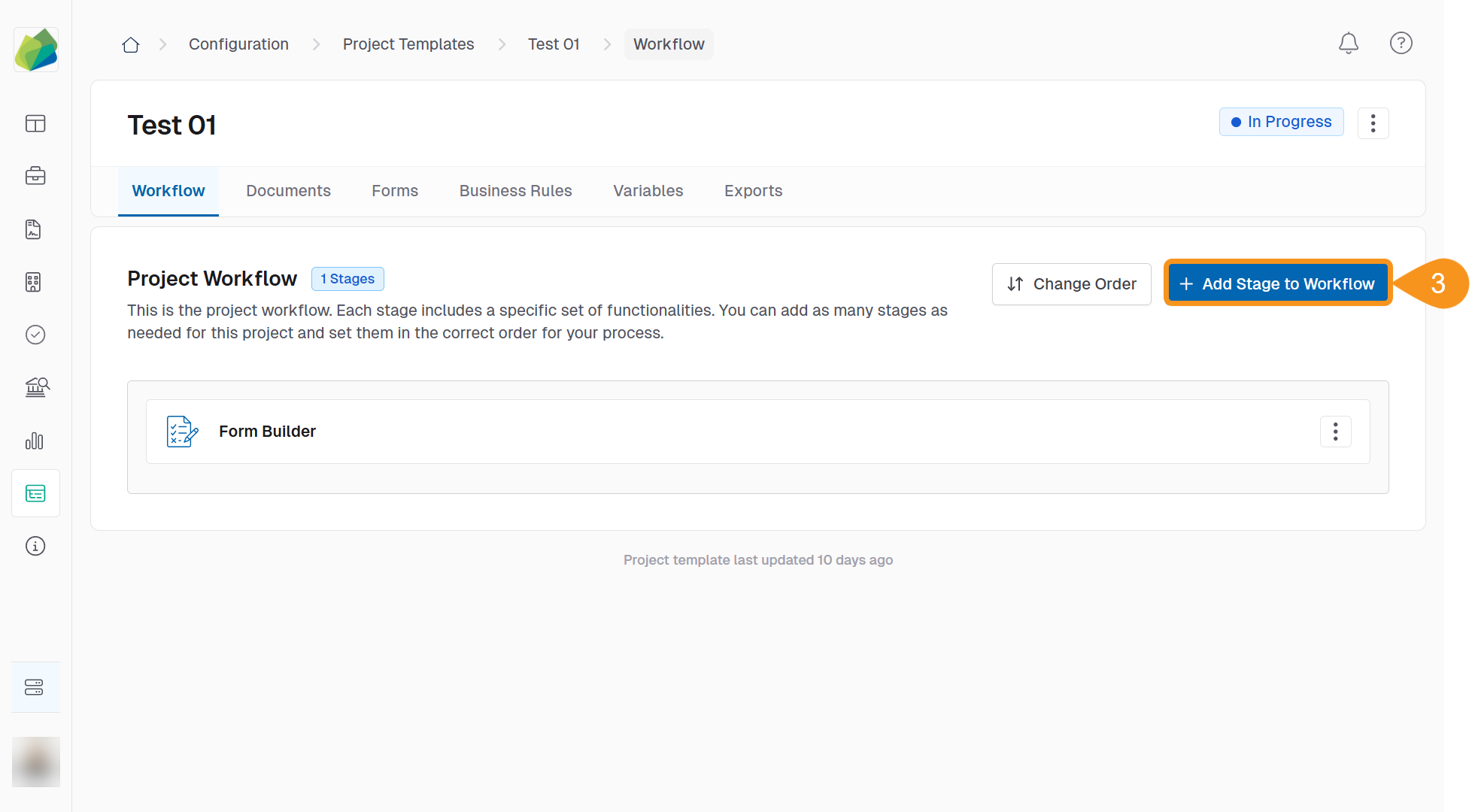
- Click Add Stage to Workflow.
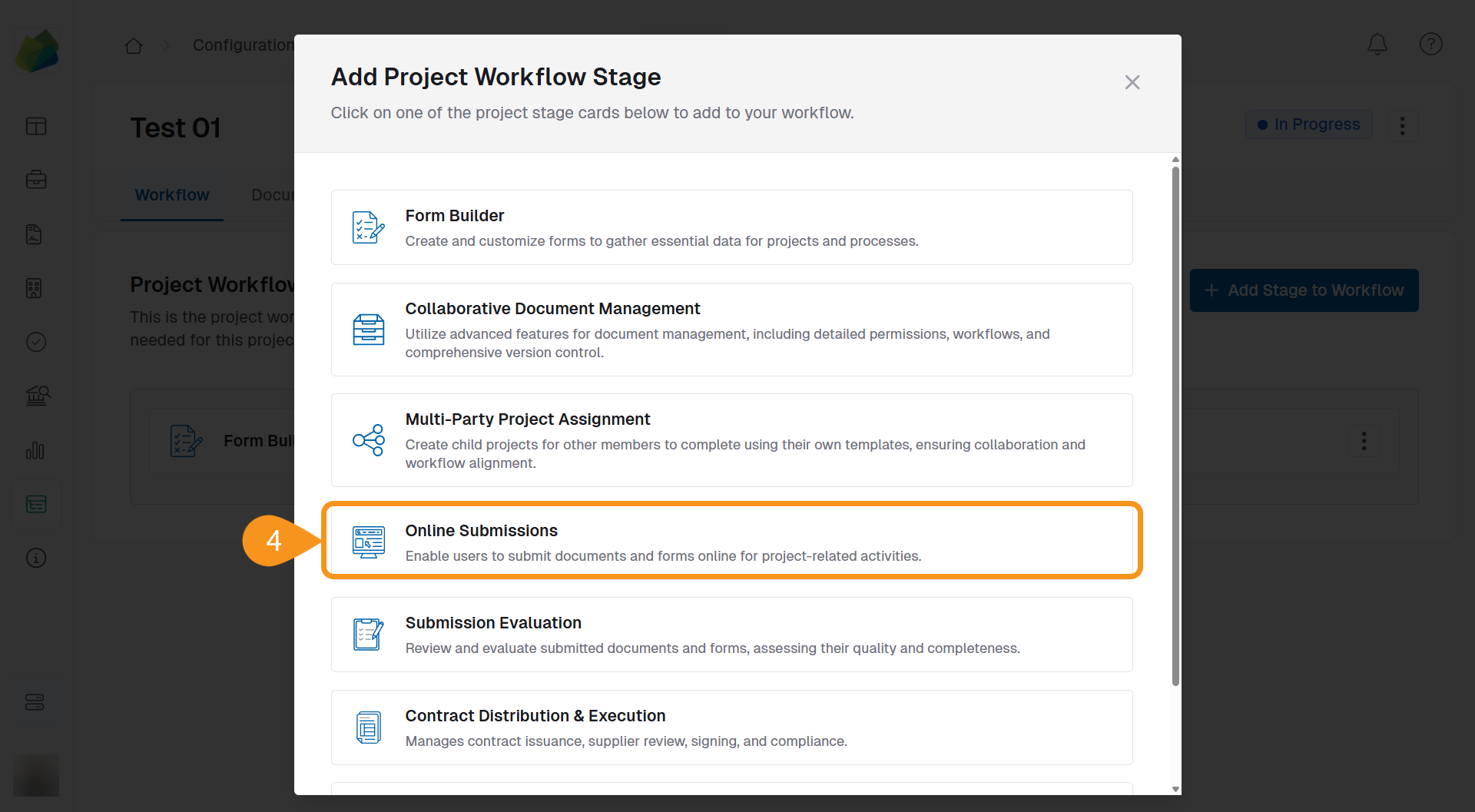
- Select Online Submissions as the stage type.
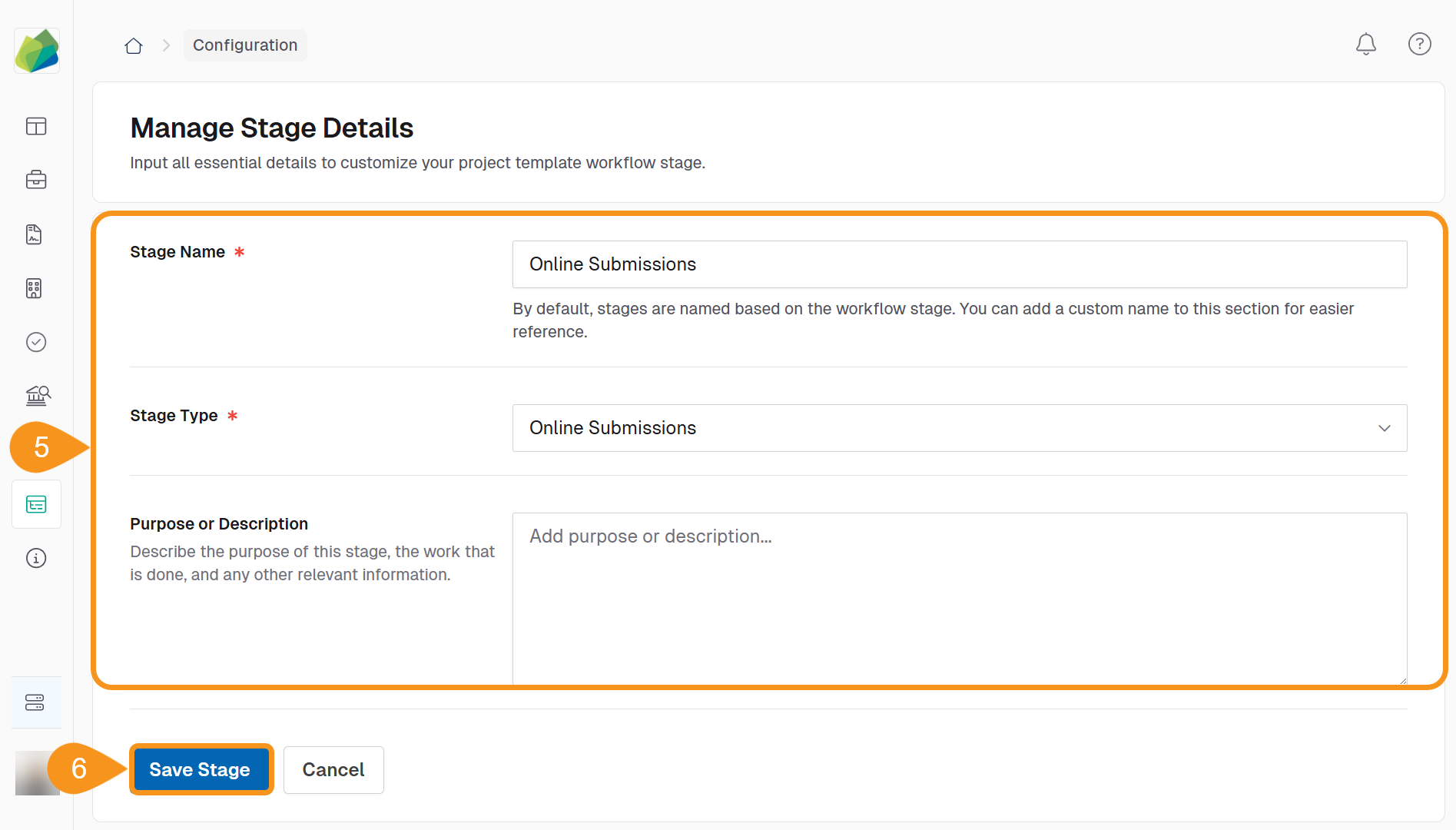
- Enter a Stage Name and an optional Purpose or Description to help your team understand the stage’s role.
Note
Follow your organization’s naming conventions to keep templates consistent and easy to identify.
- Click Save Stage to add it to the workflow.
Important
Once a stage type is saved, it cannot be changed. If you selected the wrong type, you will need to delete the stage and add a new one.
See Also
To complement your knowledge of this process, check the following pages: