Add Evaluation Workbooks
This guide explains how to add a new Evaluation Workbook to a project or project template and set its evaluation type and assignment options. Evaluation Workbooks define how supplier responses are reviewed during the Evaluations stage, ensuring consistent scoring based on predefined criteria.
When to Add an Evaluation Workbook
You should add an evaluation workbook when you need to:
- Collect structured evaluations from internal reviewers.
- Link scoring criteria directly to supplier responses.
To Add an Evaluation Workbook
1.Go to the Configuration section from the sidebar. 2. In the Project Template tab, click View Template next to the template you want to edit.
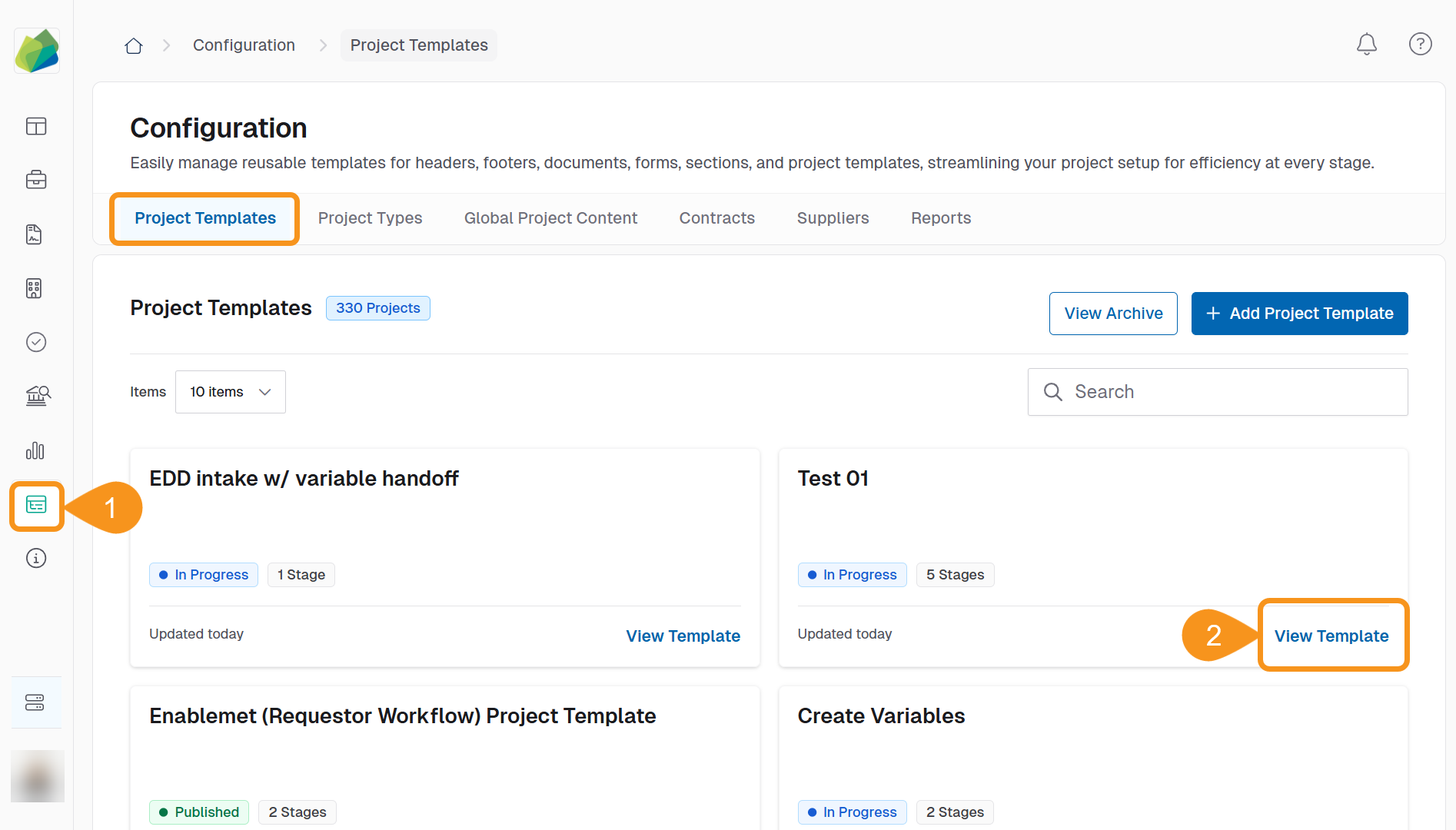
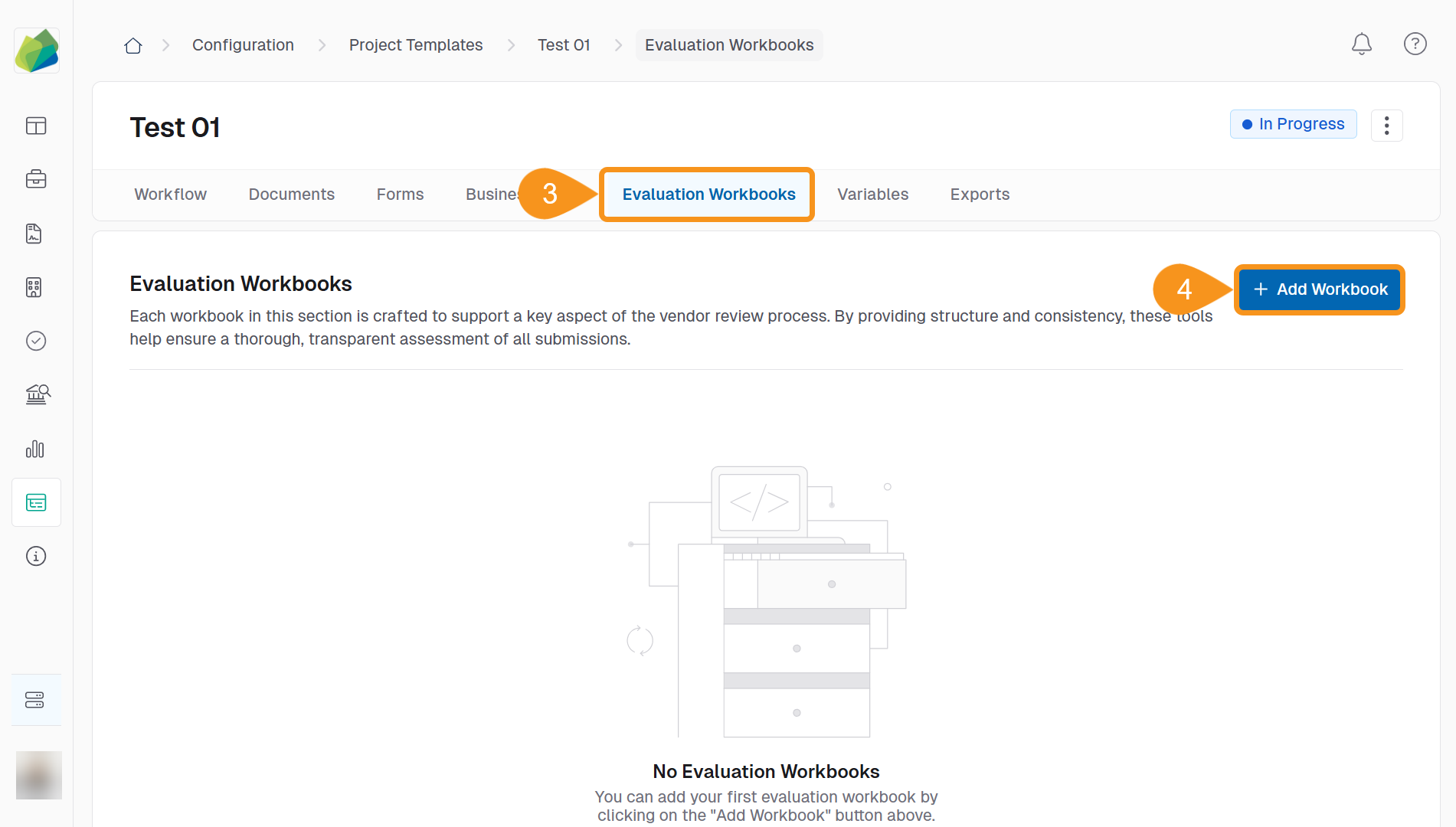
- In the Online Submissions stage, go to the Evaluation Workbooks tab.
- Click + Add Workbook.
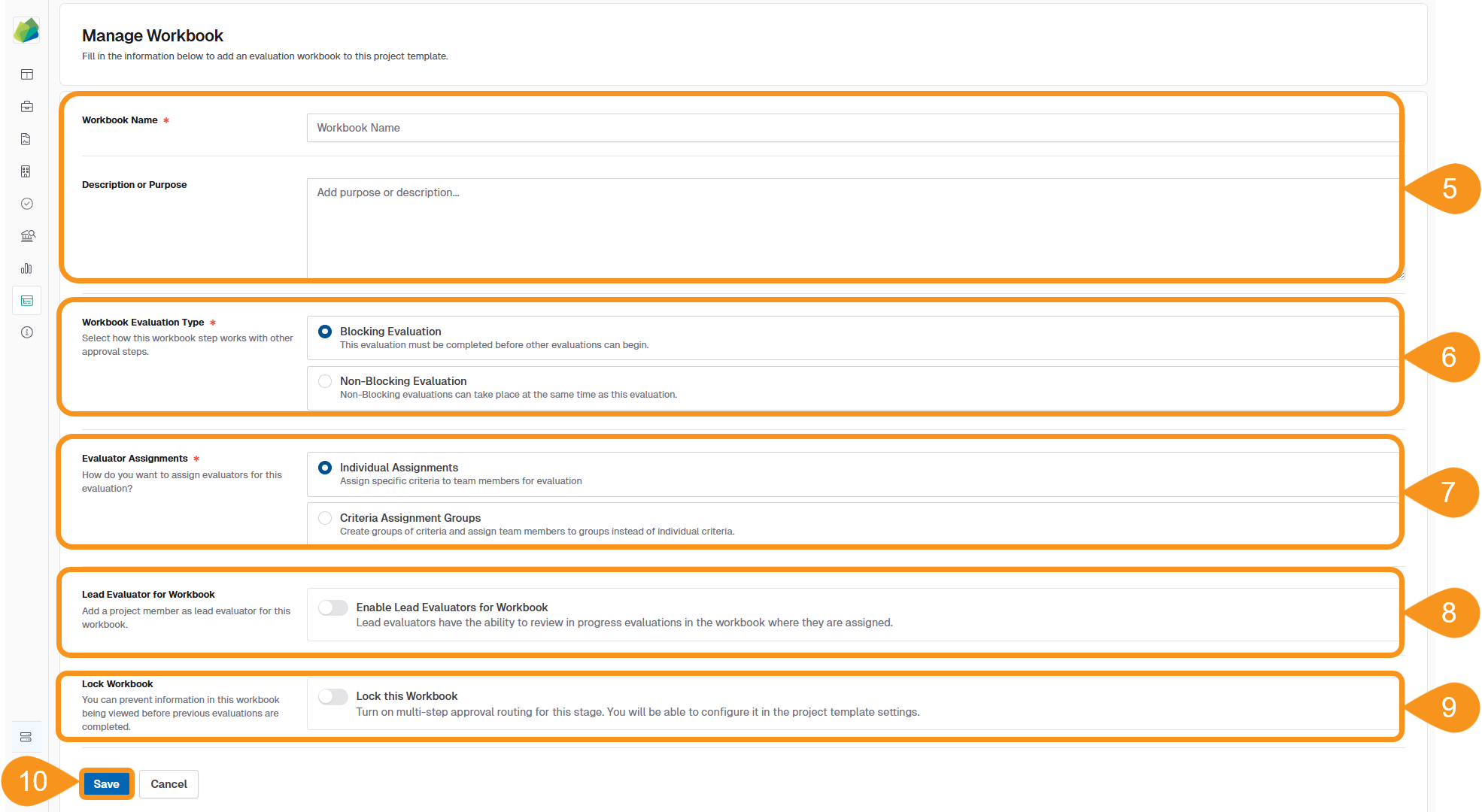
- Enter the required Workbook Name and an optional Description or Purpose to provide context for evaluators.
- Under Workbook Evaluation Type, select one:
- Blocking Evaluation: Must be completed before other evaluations begin.
- Non-Blocking Evaluation: Can be completed in parallel with other workbooks.
- Under Evaluator Assignments, choose how evaluators will be assigned:
- Individual Assignments: Assign criteria to specific users.
- Criteria Assignment Groups: Assign a group of criteria to a group of evaluators.
- (Optional): Toggle Enable Lead Evaluators for Workbook if one reviewer should oversee progress.
- (Optional): Toggle Lock this Workbook to restrict access until prior evaluations are complete.
- Click Save to finish.
After saving, click View Workbook to start adding worksheet items and evaluation criteria.
To Manage Existing Workbooks
From the Evaluation Workbooks tab, use the Kebab menu (︙) next to a workbook to:
- Edit Workbook Info
- Edit Score Totaling
- Make Conditional
- Change Worksheet Order
- Duplicate Workbook
- Remove Workbook

See Also
To complement your knowledge of this process, check the following pages: