Assign Evaluators
This how-to guide explains how to assign evaluators to workbooks in the Evaluations stage of a project.
Evaluators are internal team members responsible for scoring supplier responses. Assigning evaluators ensures that submissions are reviewed consistently, fairly, and by the right people.
You can assign evaluators to all supplier submissions or to specific ones, depending on project needs.
Assignments can also be made by criteria groups, depending on the evaluation method selected for the project.
When to Assign Evaluators
You should assign evaluators when you need to:
- Ensure the project is already in the Evaluations stage.
- Have at least one Evaluation Workbook created.
- Define who will score specific supplier responses or criteria groups.
To Assign Evaluators
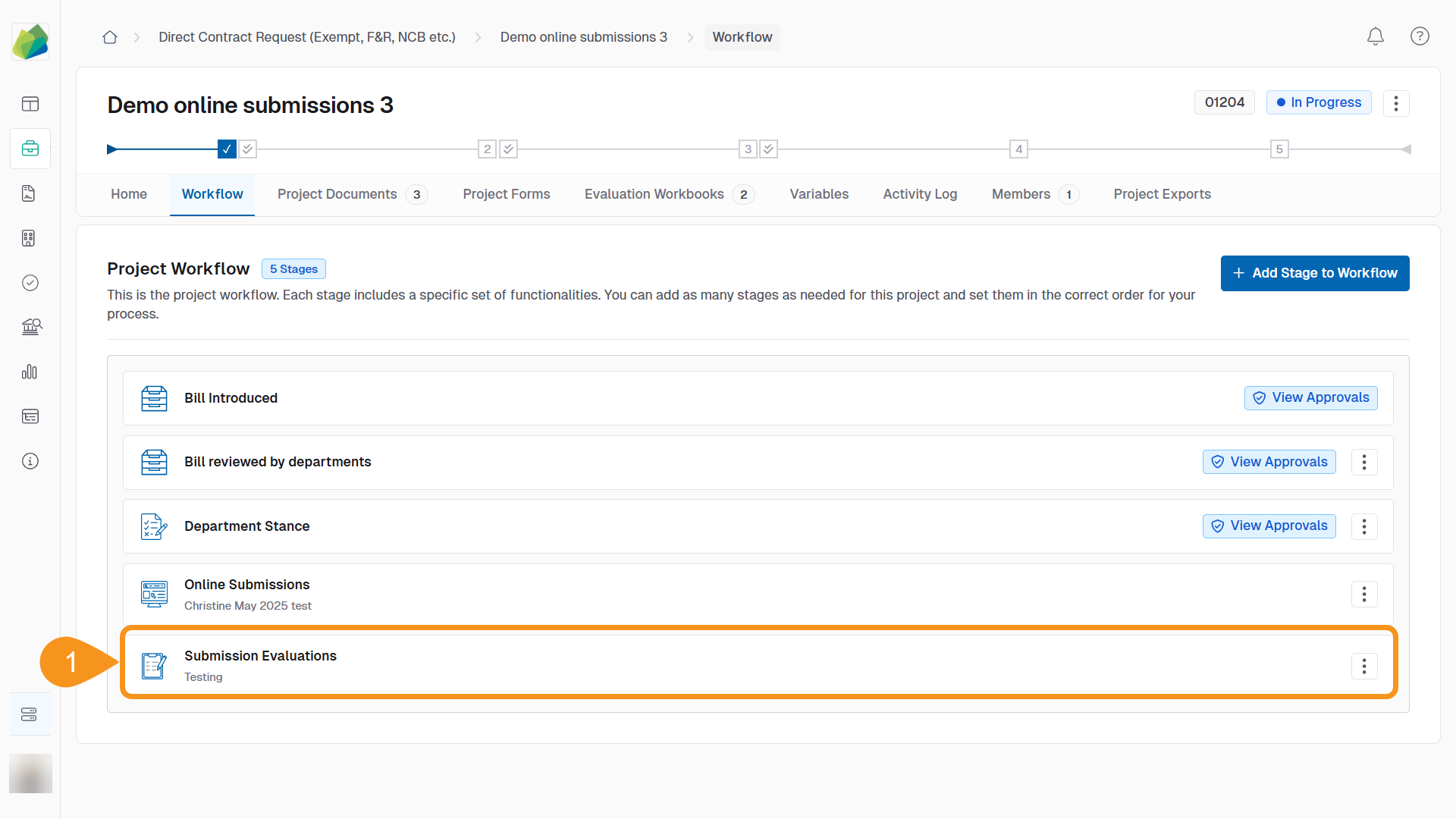
- Go to the Submission Evaluations stage of your project.
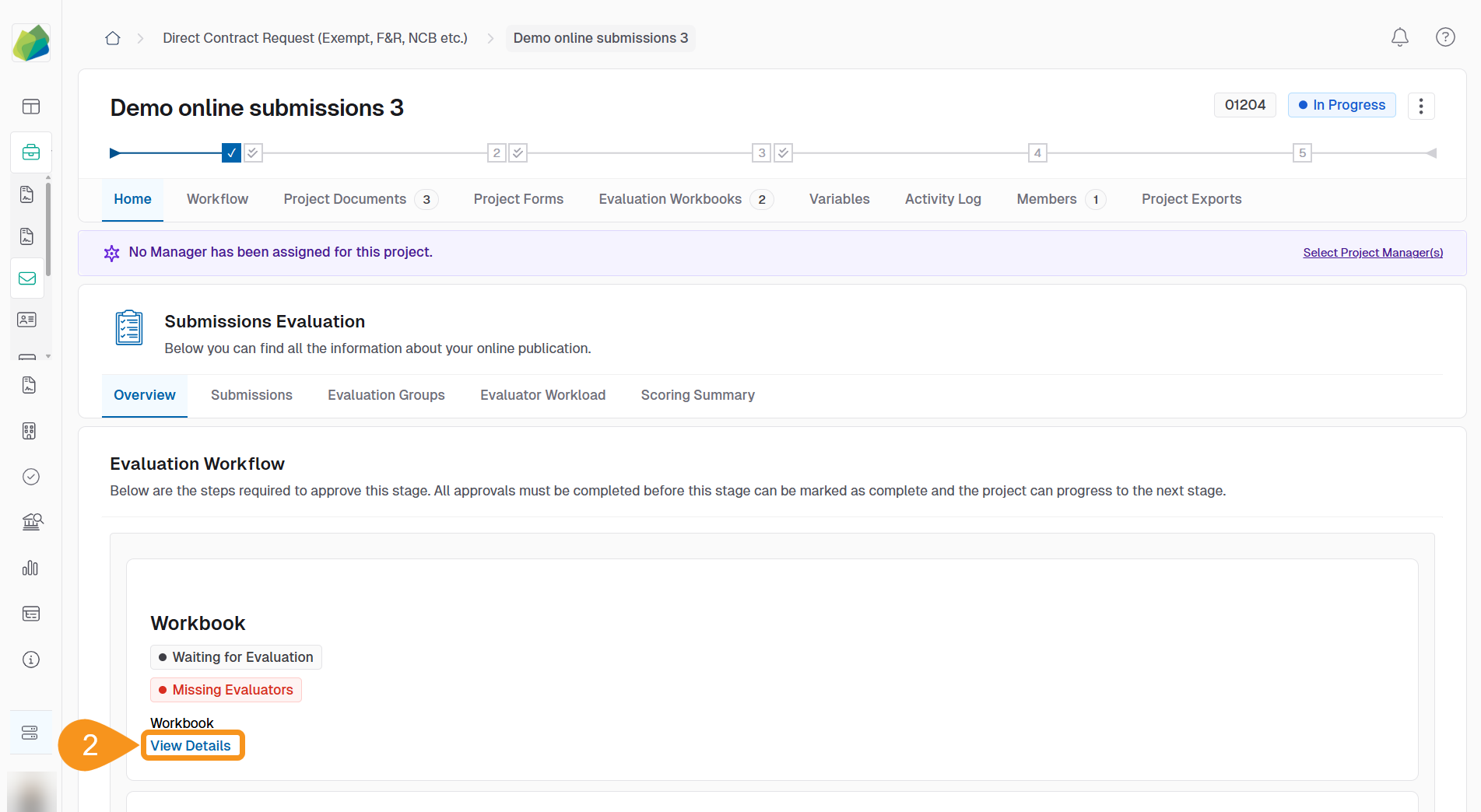
- Click View Details next to the relevant workbook.
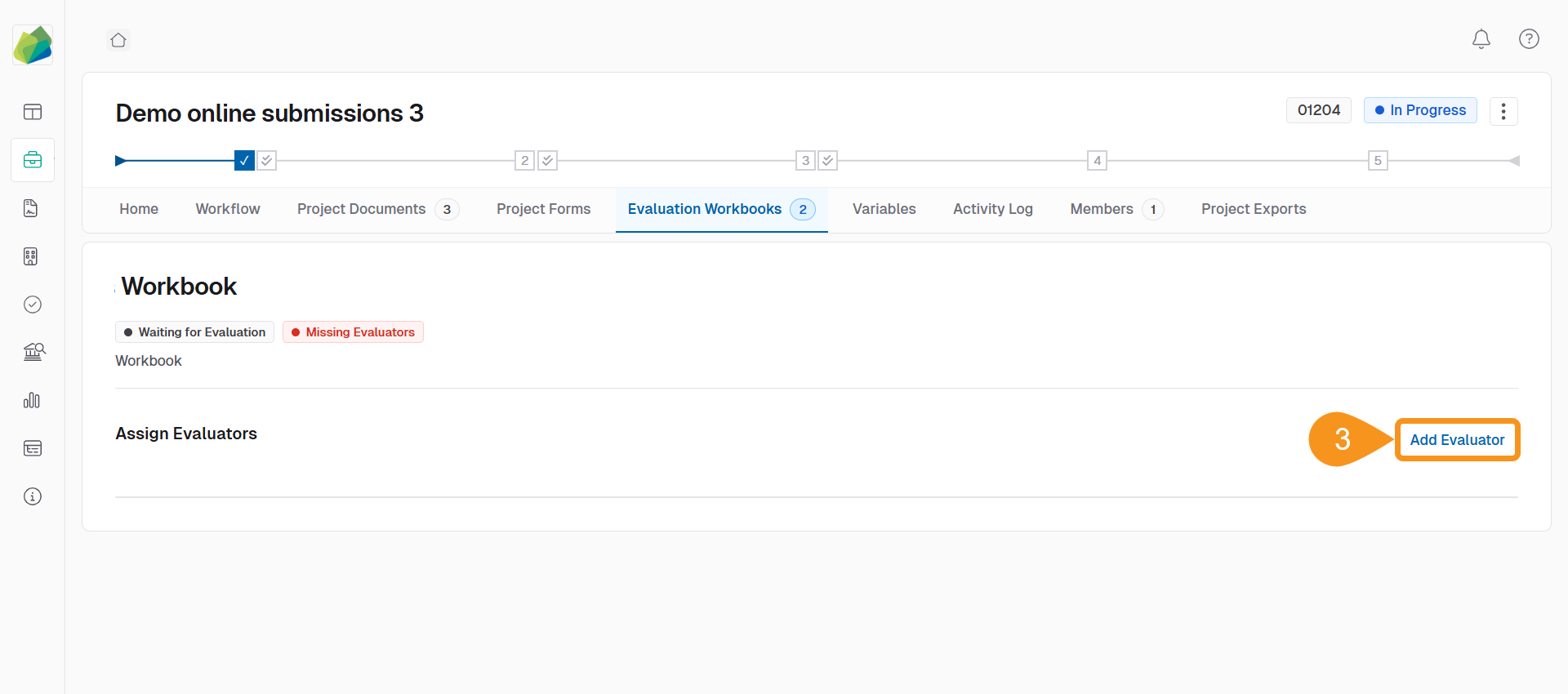
- Click Add Evaluator.
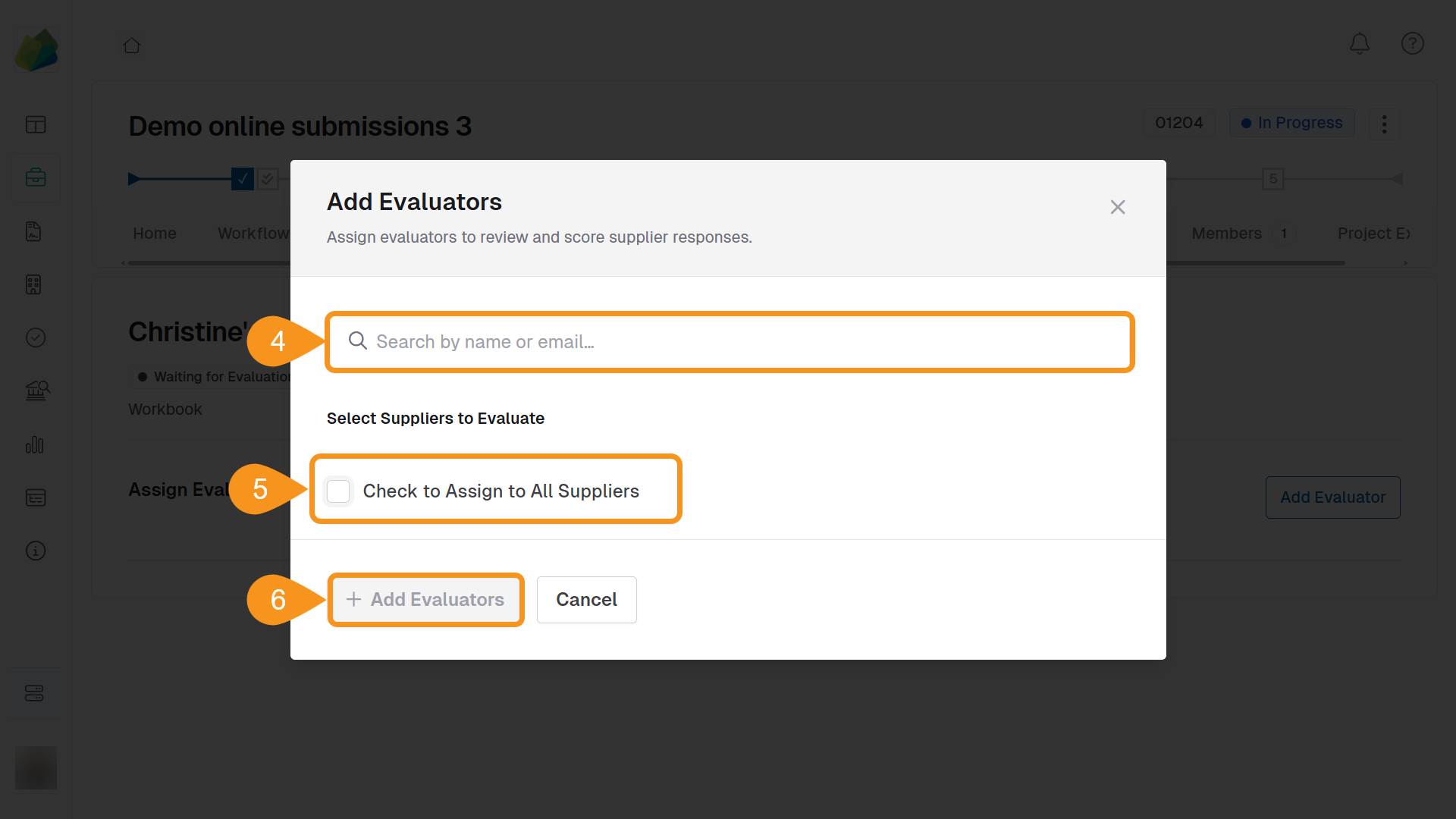
- Search for the evaluator by name or email.
- You can add multiple evaluators at once.
- To remove an email from the search, click the x next to it.
- Depending on the evaluation method:
- Individual assignment: use the checkboxes to assign the evaluator to one or more supplier submissions.
- Criteria group assignment: assign evaluators to one or more criteria groups.
- Click + Add Evaluators to confirm.
To Remove an Evaluator
Click the evaluator’s name in the list to unassign them from submissions or criteria groups.
See Also
To complement your knowledge of this process, check the following pages: