Edit Evaluation Worksheets
This guide explains how to edit an existing Evaluation Worksheet inside an Evaluation Workbook. Editing allows you to update worksheet titles or descriptions as your evaluation needs evolve.
When to Edit a Worksheet
You should edit a worksheet when you need to:
- Update the title or description to better reflect the evaluation focus.
- Provide clearer guidance to evaluators or suppliers.
- Adjust worksheet context without changing the items it contains.
To Edit an Evaluation Worksheet
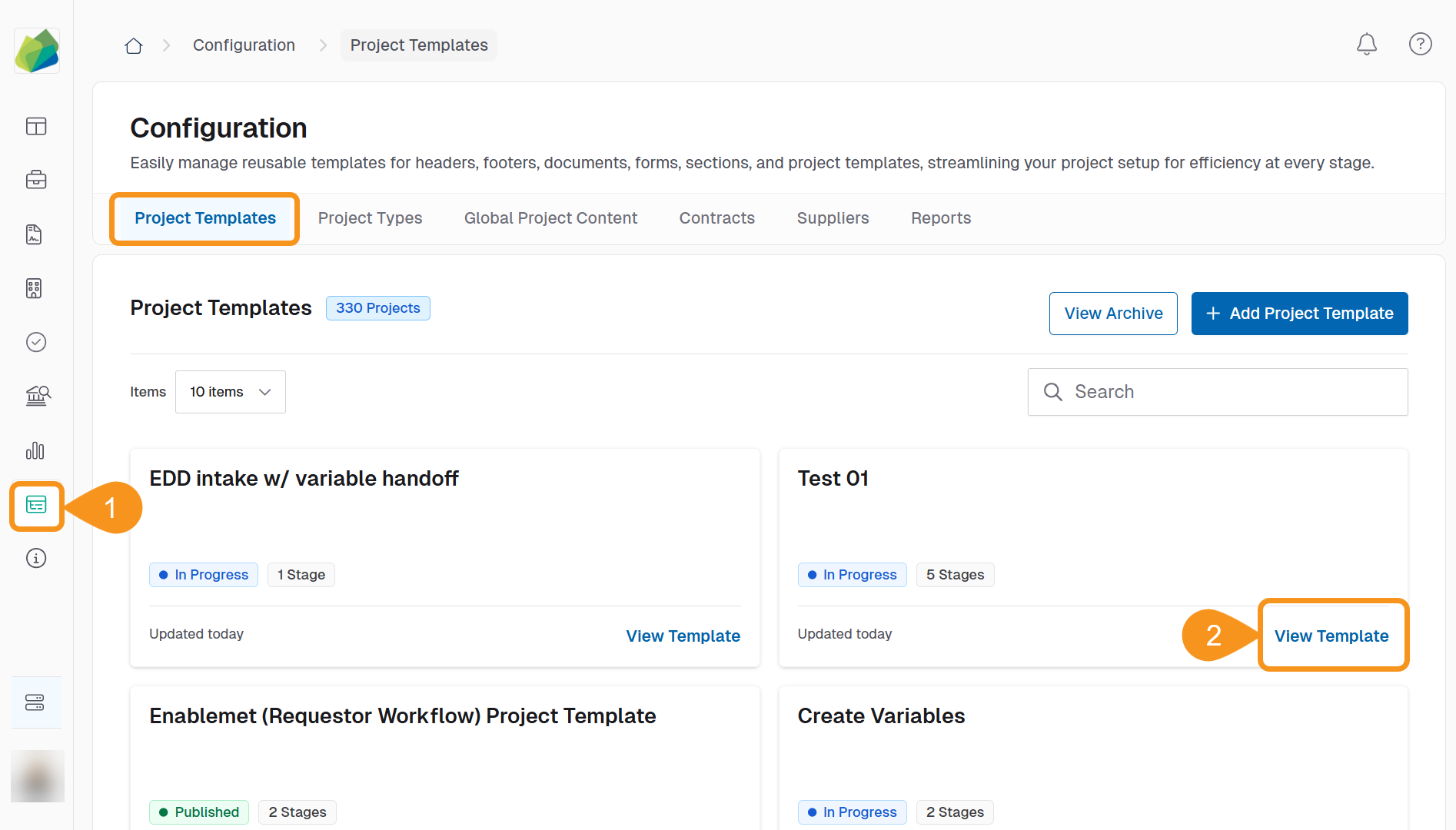
- Go to the Configuration section from the sidebar.
- In the Project Template tab, click View Template for the template you want to edit.
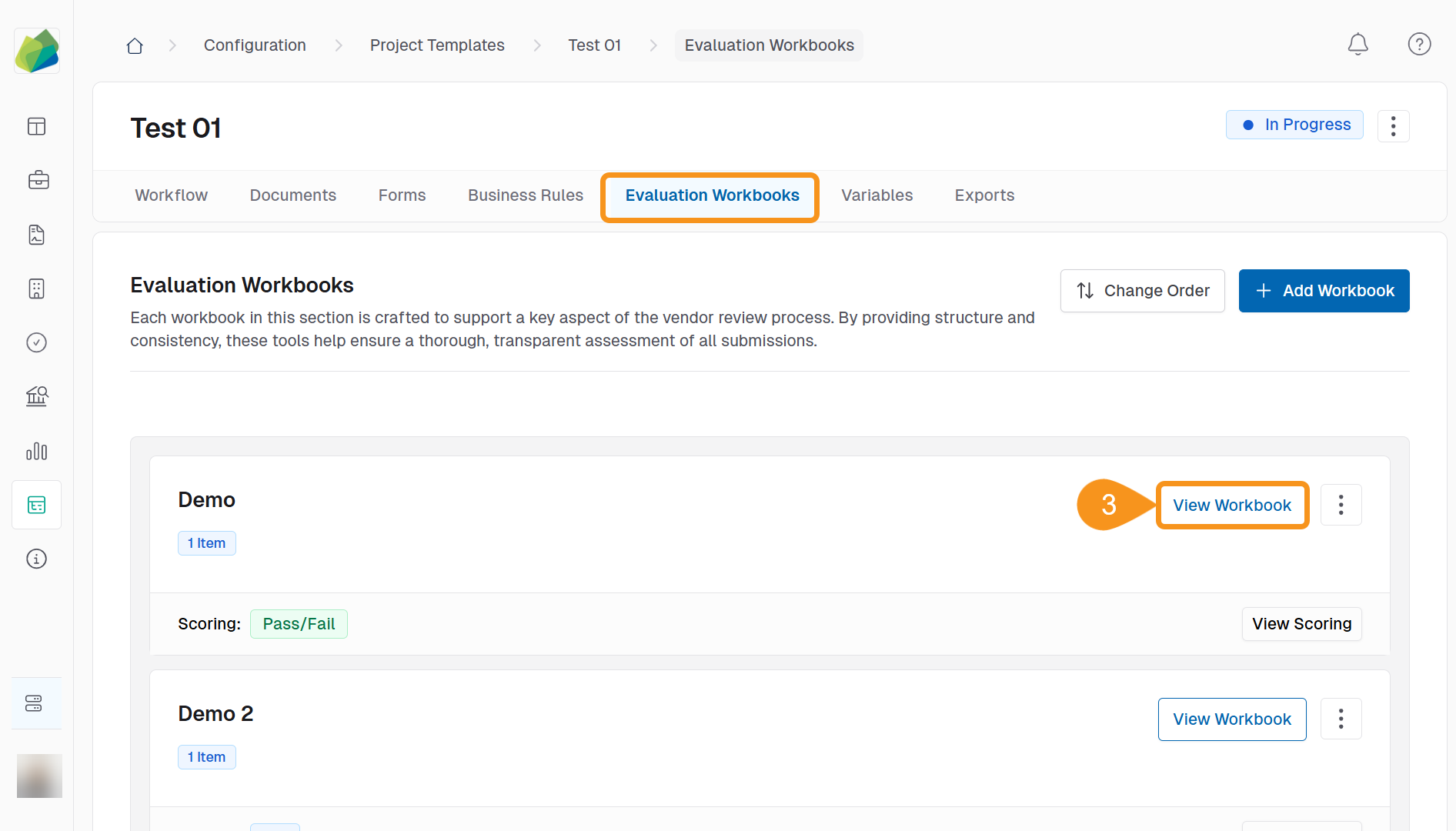
- In the Evaluation Workbooks tab, click View Workbook.
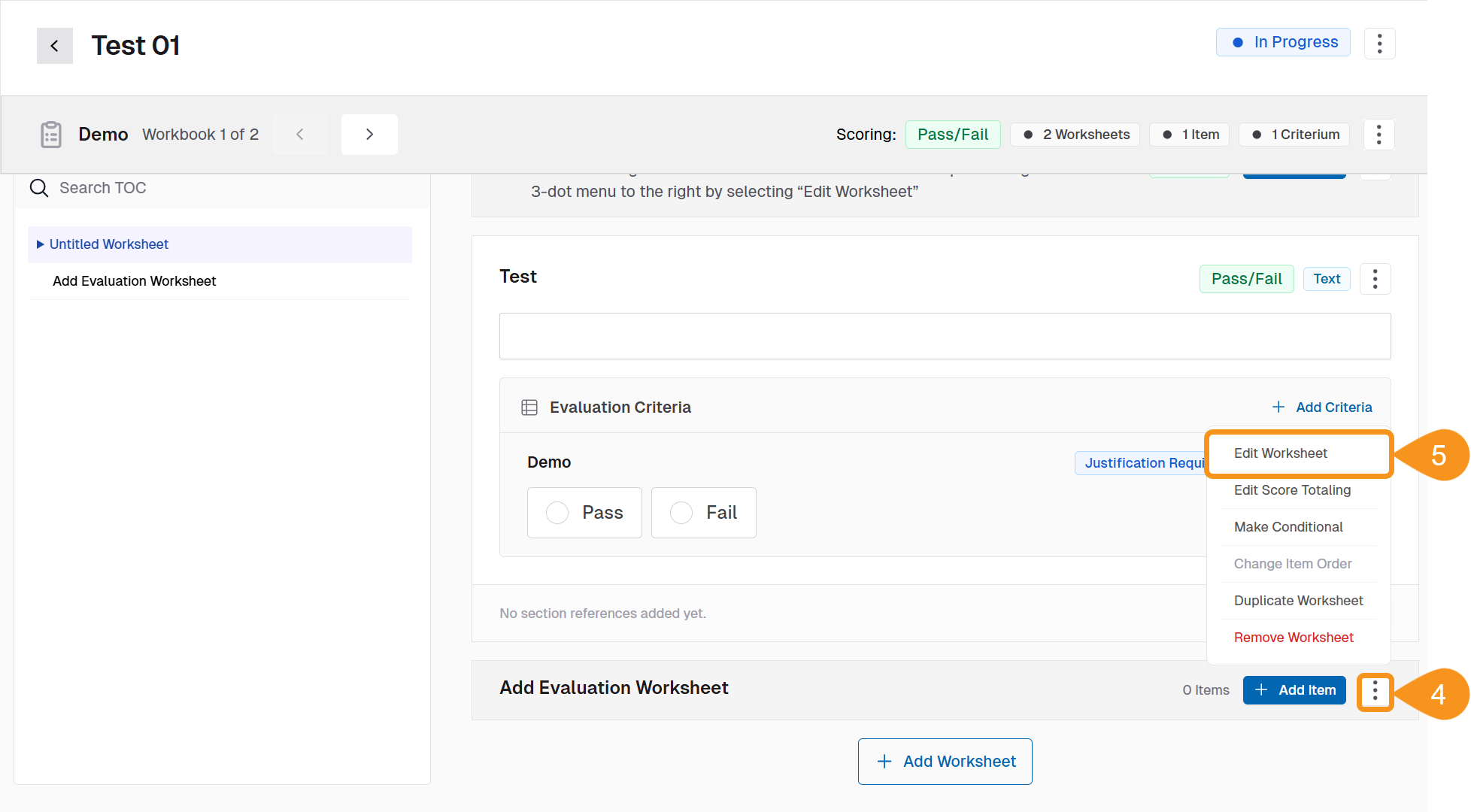
- Locate the worksheet you want to edit and click the Kebab menu (︙) located next to each worksheet.
- Select Edit Worksheet.
- Update the Worksheet Name or Description as needed.
- Click Save Changes.
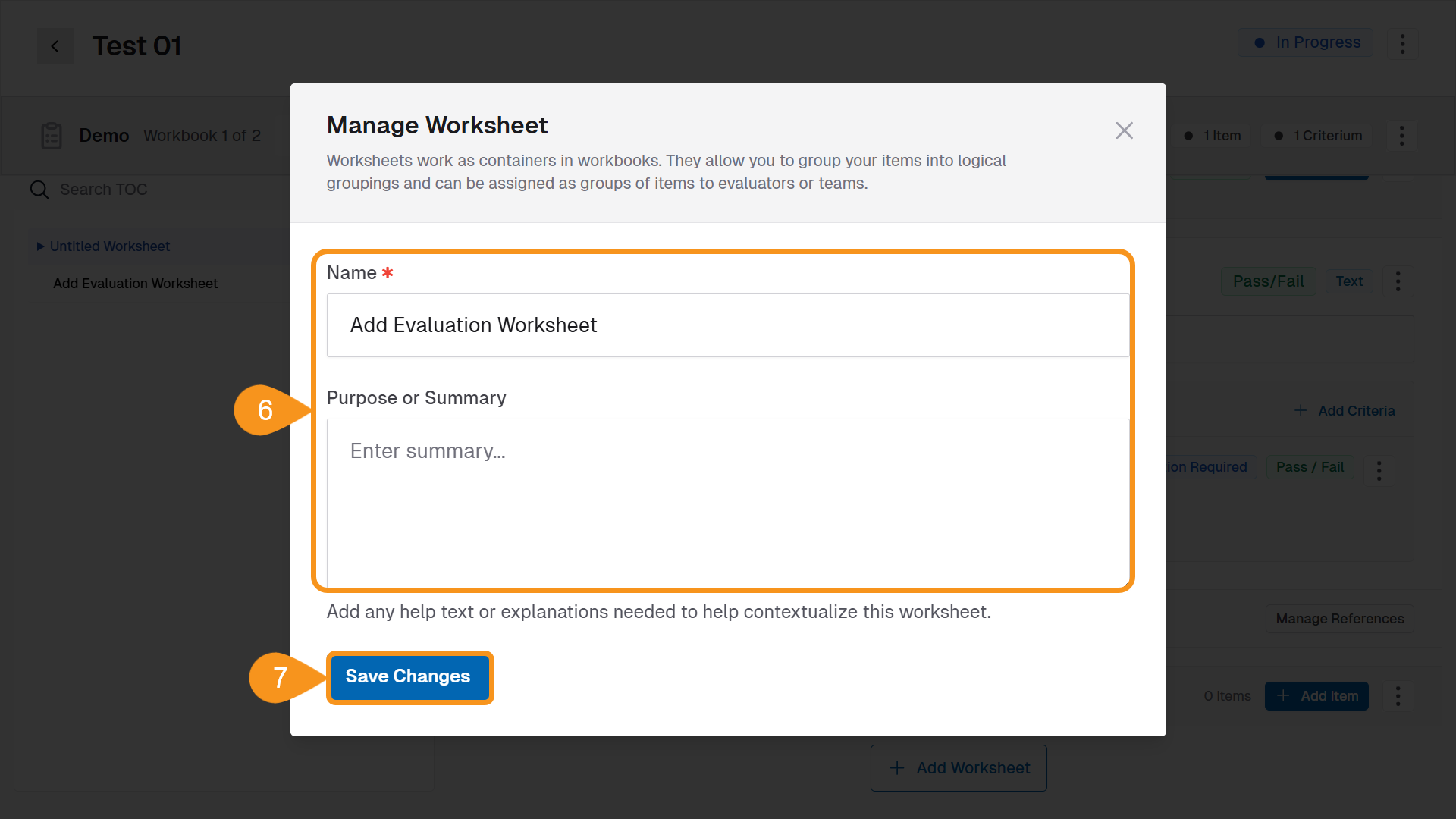
The updates are applied immediately in the workbook.
See Also
To complement your knowledge of this process, check the following pages: