Manage Aggregation Scoring Types
This how-to guide explains how to manage Aggregation Scoring Types in evaluation worksheets within Authorium.
Aggregation Scoring Types determine how individual criteria are combined to calculate the total score of a worksheet.
By configuring the right scoring method, you can ensure that evaluations reflect the correct weighting, distribution, and emphasis across all criteria.
When to Manage Aggregation Scoring Types
You should manage aggregation scoring types when you need to:
- Define how scores for multiple criteria are combined into a total worksheet score.
- Redistribute point weightings to reflect the importance of specific criteria.
- Apply multipliers to highlight or de-emphasize certain aspects of evaluations.
- Ensure that percentage distributions across criteria add up to a balanced 100%.
To Manage Aggregation Scoring Types
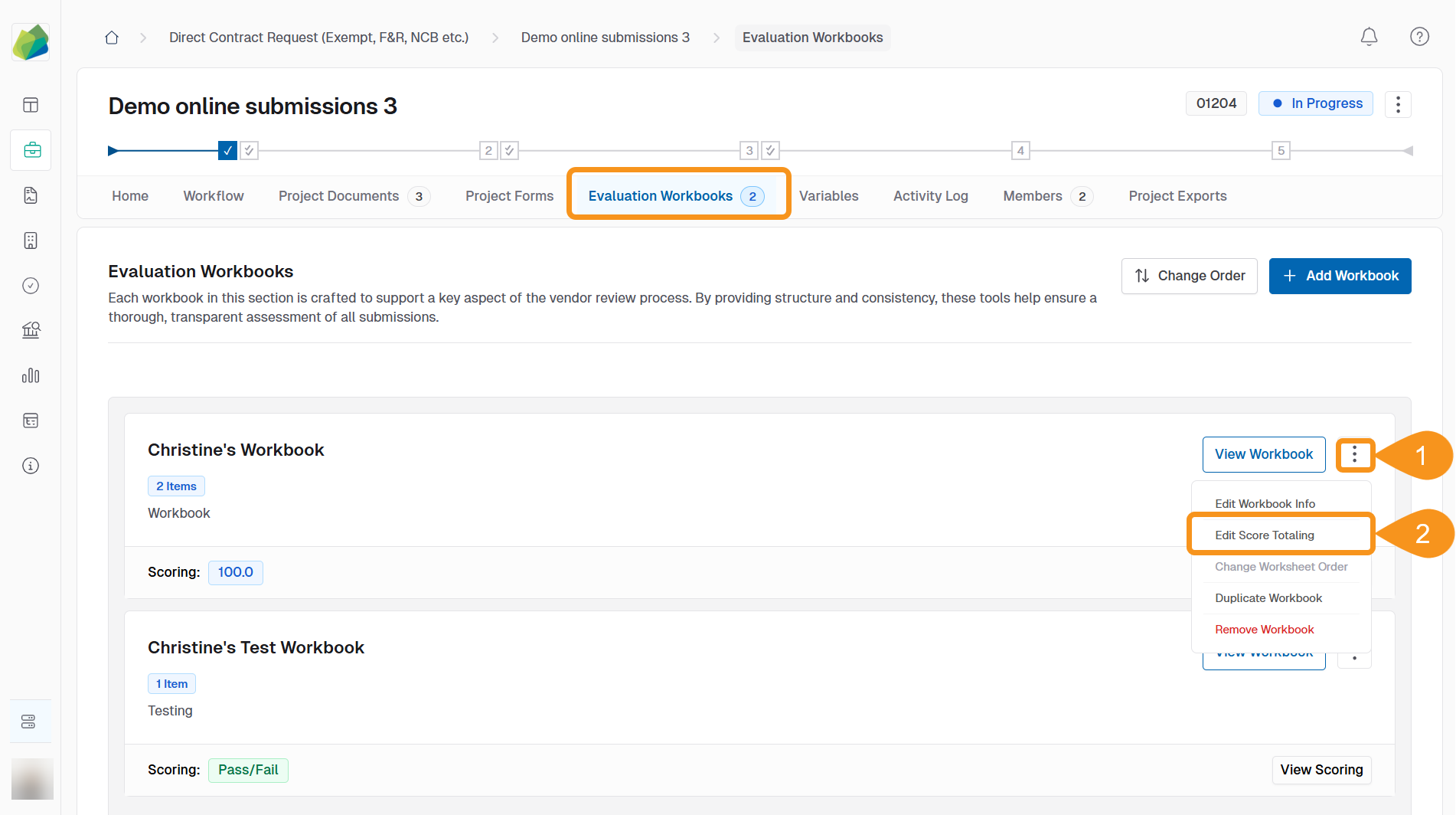
- Click the kebab menu (⋮) associated with a specific worksheet.
- Select Edit Score Totaling.
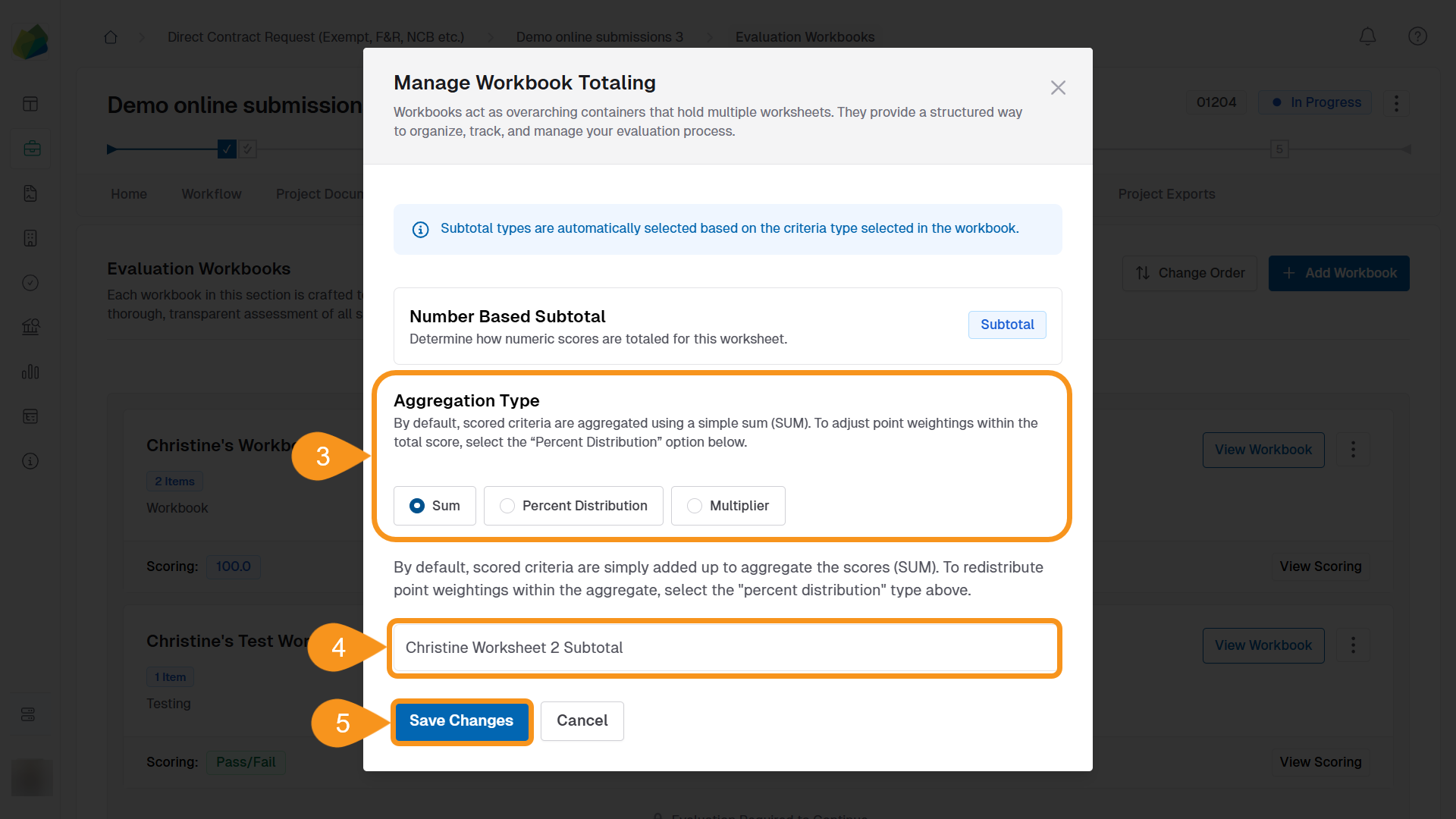
- Choose an Aggregation Scoring Type:
- Sum: Criteria scores are simply added together. This is the default option.
- Percentage: Define custom percentage weights for each criterion (total must equal 100%).
- Multiplier: Apply multiplier values to emphasize or reduce the impact of certain criteria.
- Adjust the weighting method based on your selection:
- For Sum, no further action is required.
- For Percentage, enter weights so that all percentages add up to 100%.
- For Multiplier, assign multiplier values to relevant criteria (default is 1).
- Click Save Changes.
See Also
To complement your knowledge of this process, check the following pages: