Respond to Suppliers’ Questions
This how-to guide explains how to respond to supplier-submitted questions during the Q&A period of a solicitation.
Your responses are shared publicly with all suppliers once published, ensuring transparency and equal access to information.
When to Respond to Supplier Questions
You should respond to supplier questions when you need to:
- The Q&A period is currently active.
- Questions appear in the Q&A tab of the Online Submissions stage.
- Clarify requirements, provide additional details, or address supplier inquiries.
To Respond to Supplier Questions
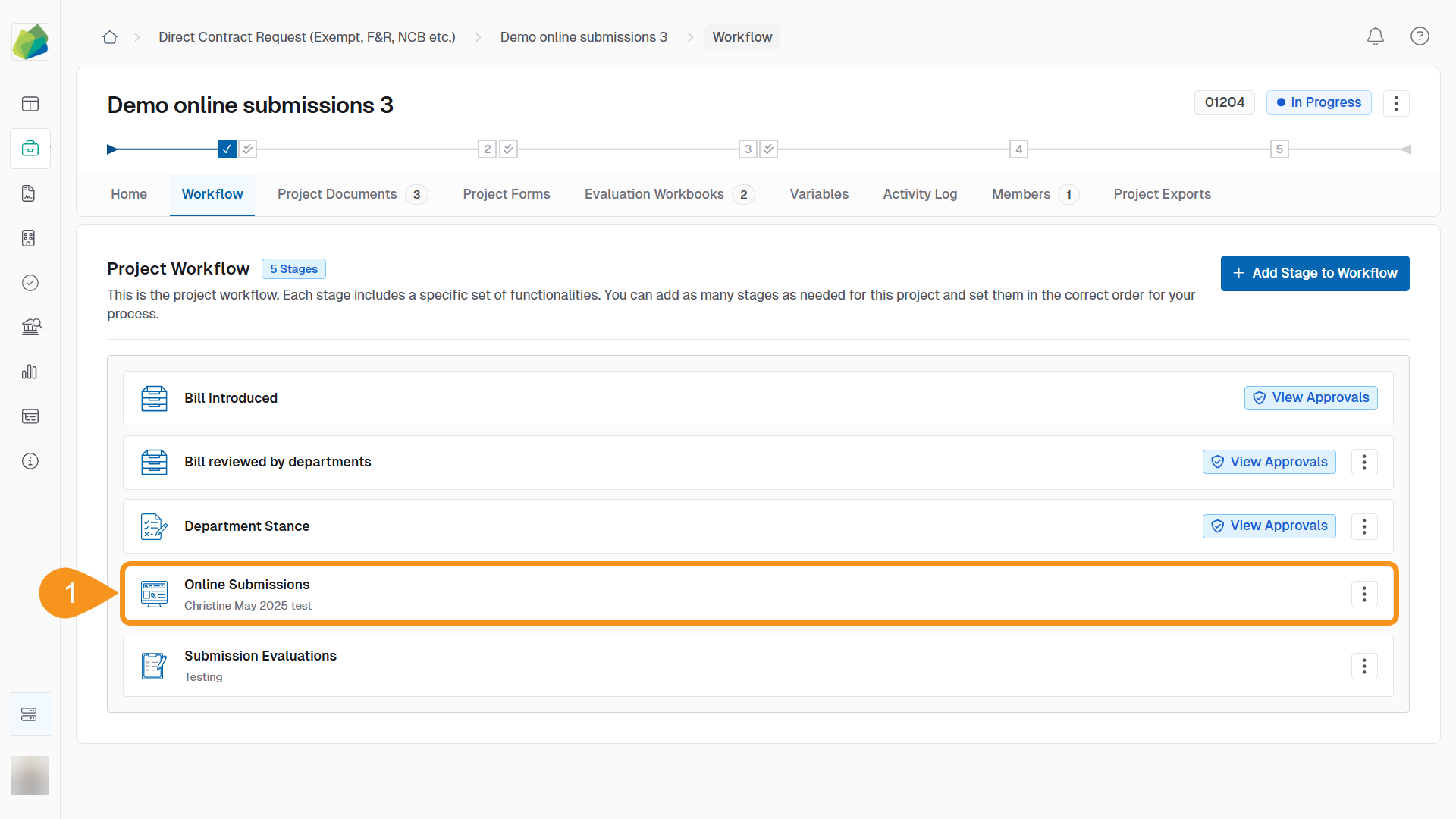
- Go to the project’s Online Submissions stage.
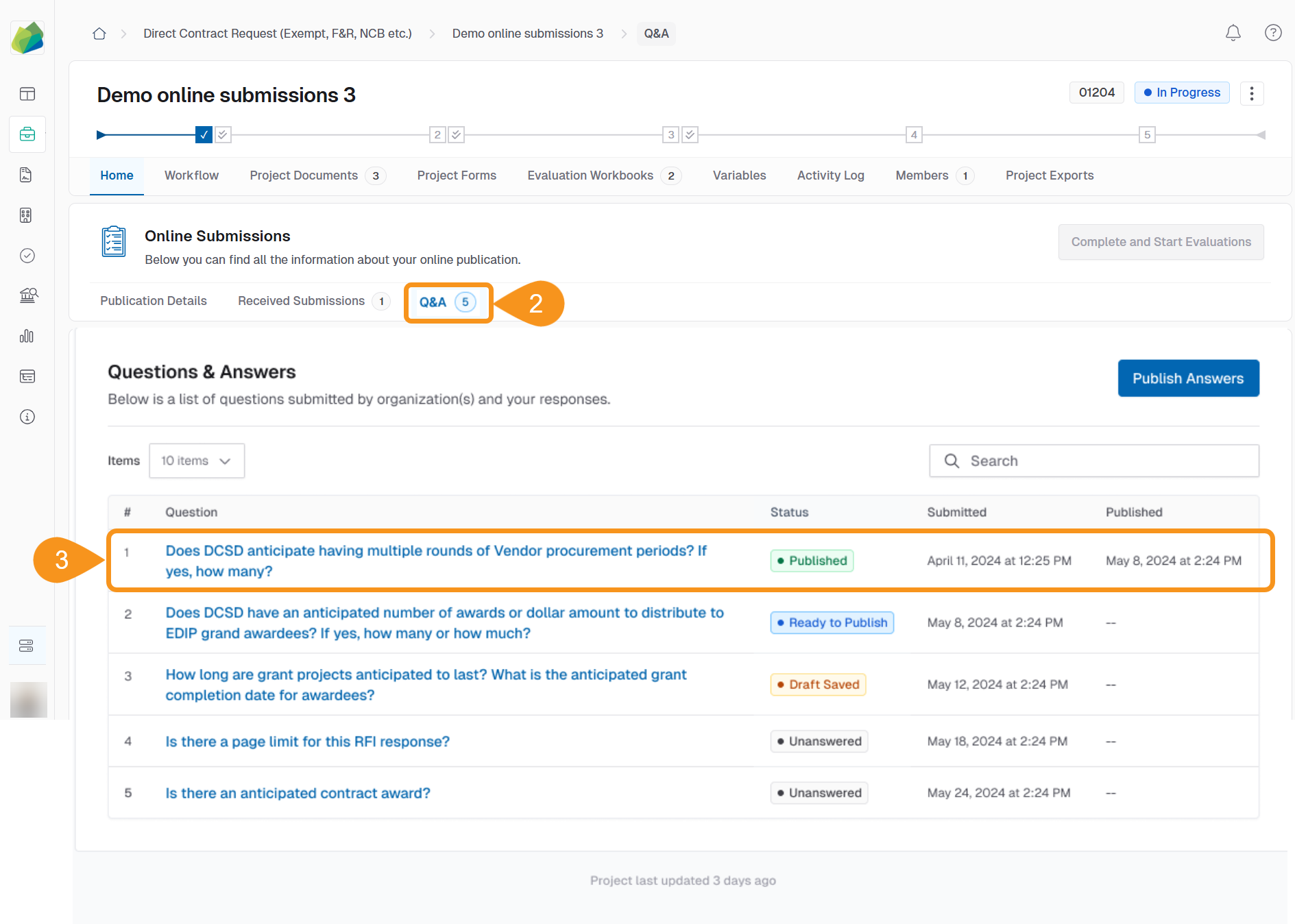
- Click the Q&A tab.
- Select a question from the list to view its details.
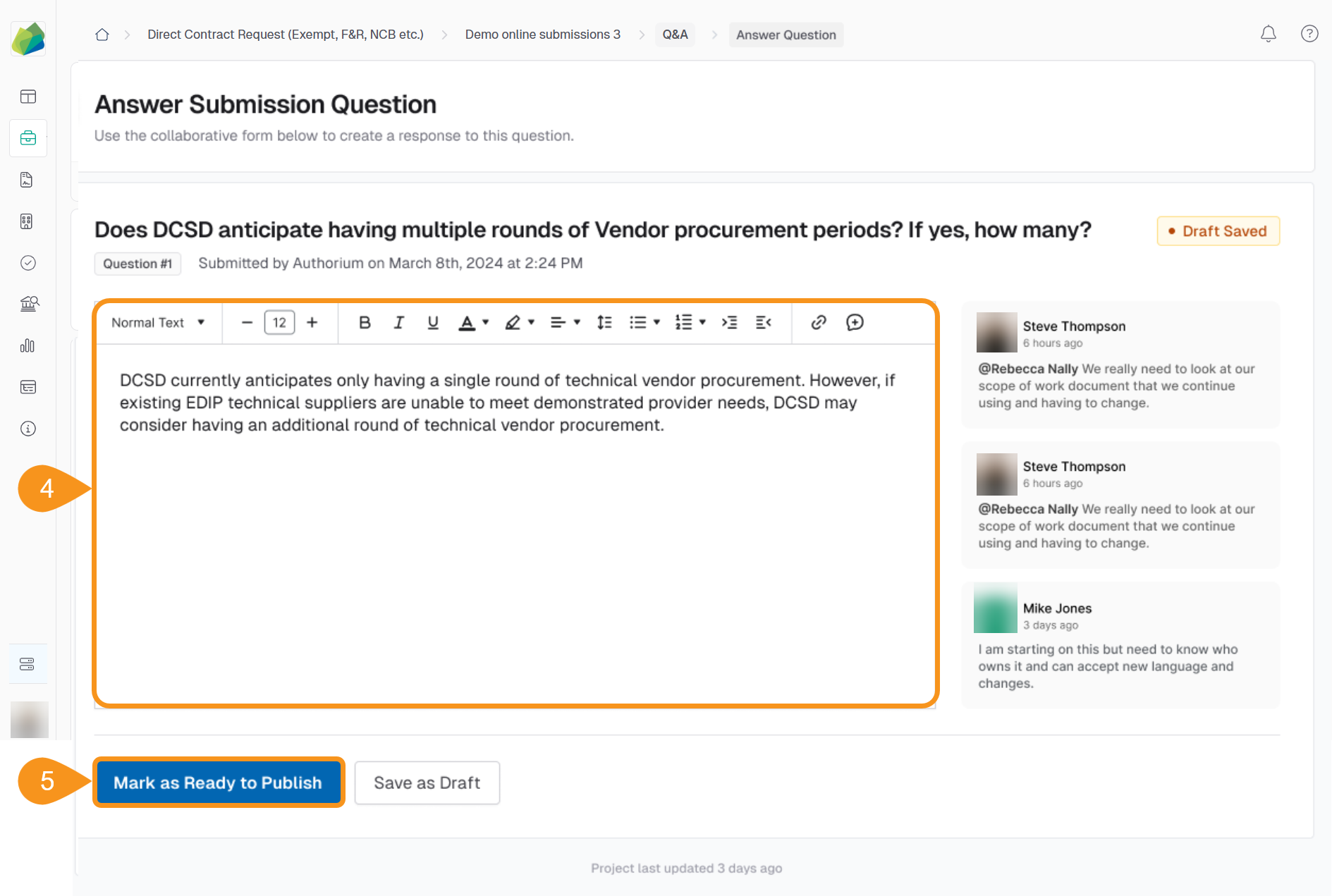
- Type your response in the rich text field.
Tip
You can format text with bold, italics, bullets, and attach supporting files if needed.
- Click Mark as Ready to Publish once the response is complete.
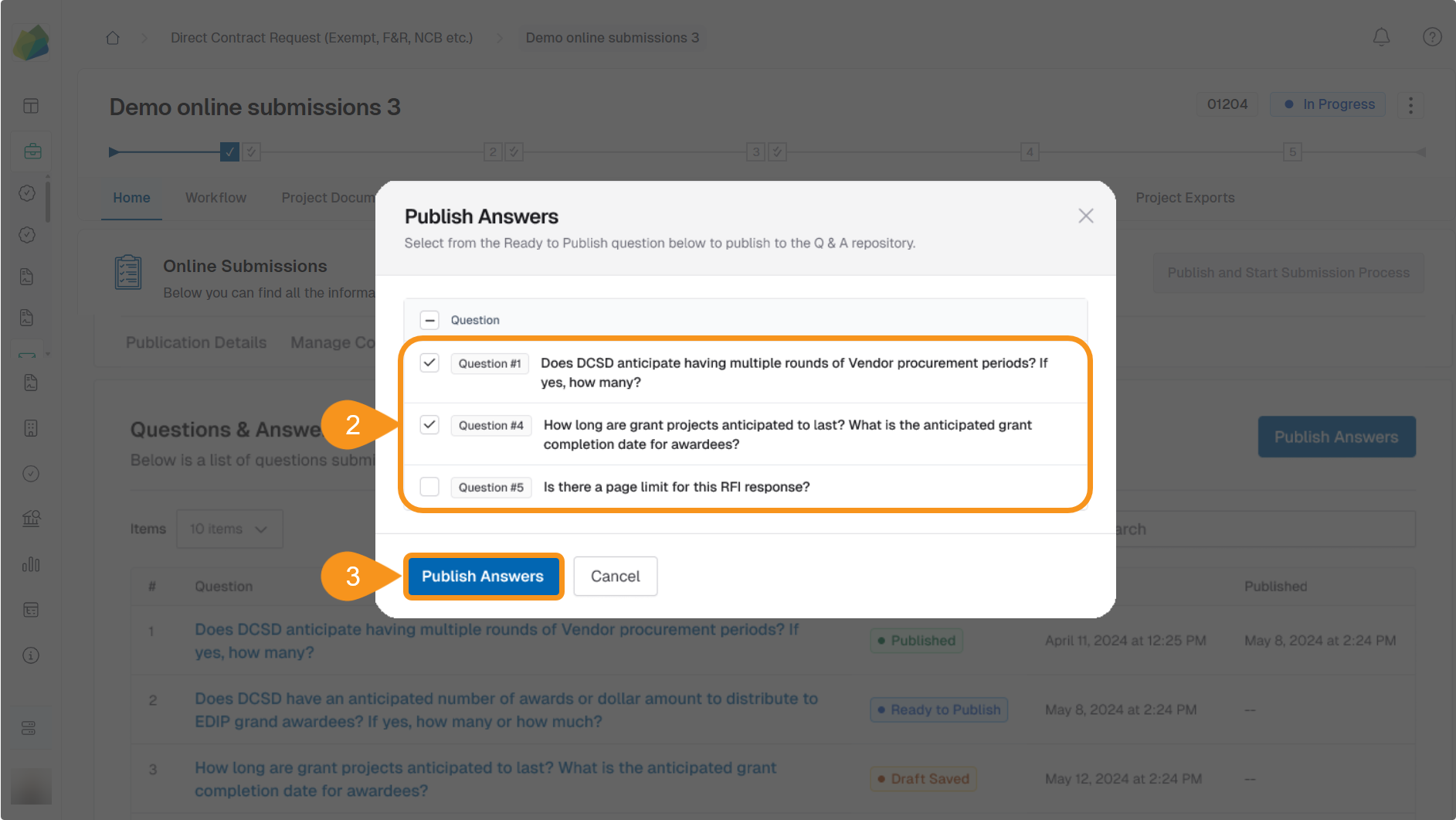
To Publish Your Responses
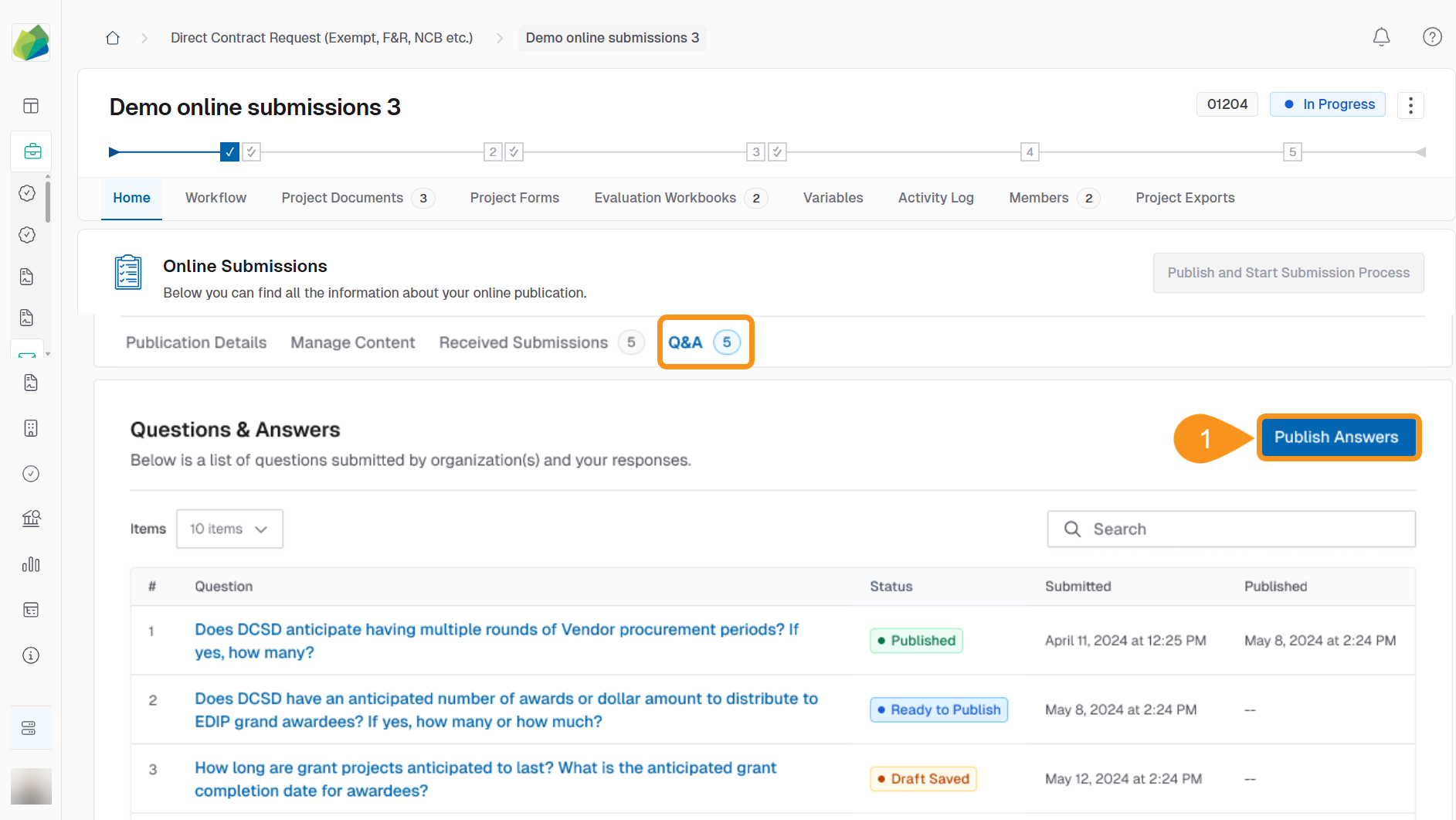
- In the Q&A tab, click Publish Answers.
- Check the box beside the question(s) you wish to publish.
- Click Confirm and Publish Answers to make the responses visible to all suppliers.
See Also
To complement your knowledge of this process, check the following pages: