Add or Edit Project Roles
This guide explains how to add or edit Project Roles in Authorium. Project Roles allow you to customize permissions across multiple projects and standardize how your team interacts with project content. Proper configuration ensures security, efficiency, and consistent access for all team members.
When to Add Project Roles
You should add Project Roles when you need to:
- Create custom roles for different teams (e.g., legal reviewers or analysts).
- Scale consistent permissions across projects.
When to Edit Project Roles
You should edit Project Roles when you need to:
- Update descriptions or permissions for existing roles.
- Adjust roles as responsibilities evolve across projects.
To Add a New Project Role
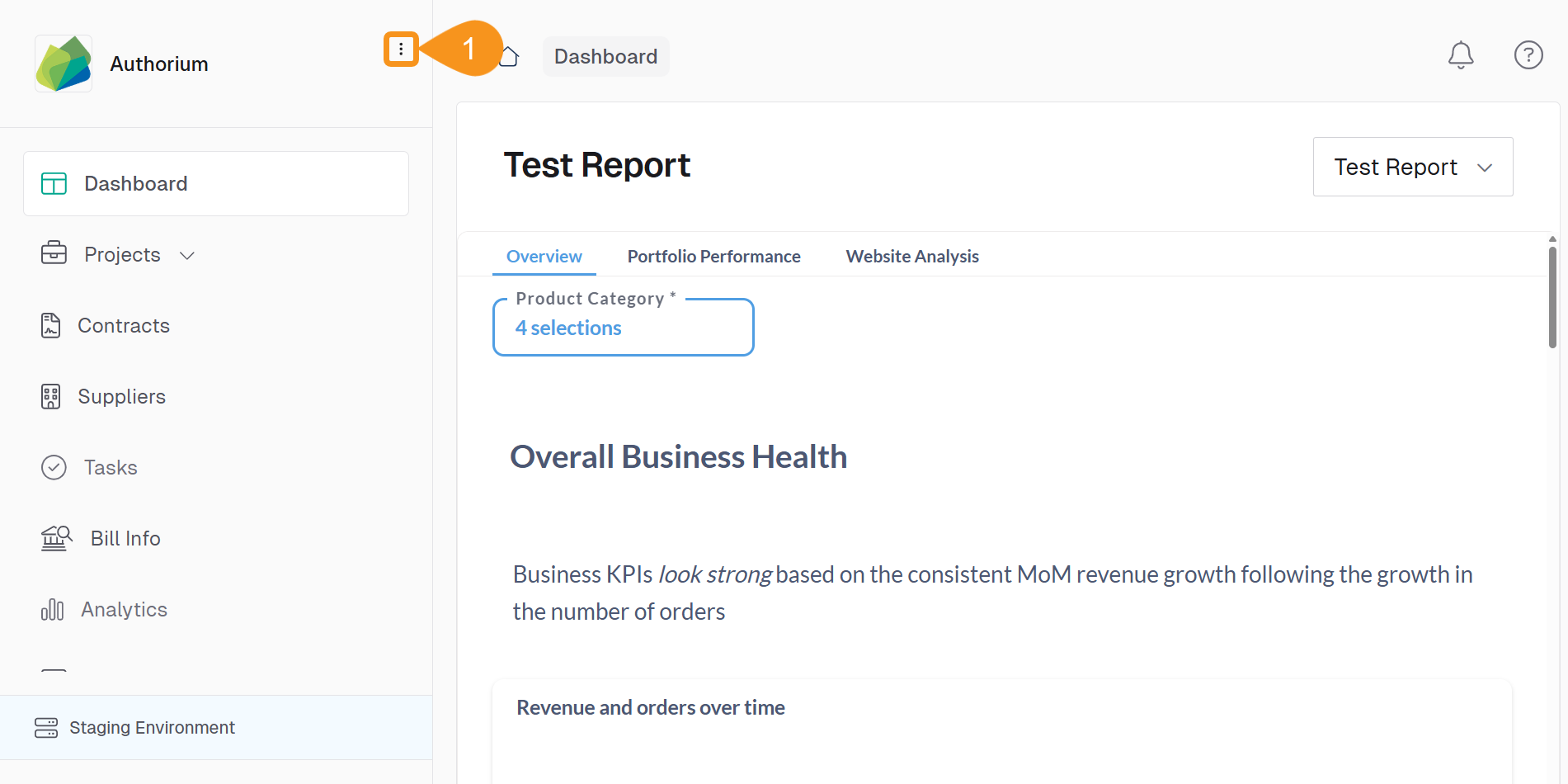
1.From the Dashboard, go to the three-dots menu in the main navigation bar next to the logo.
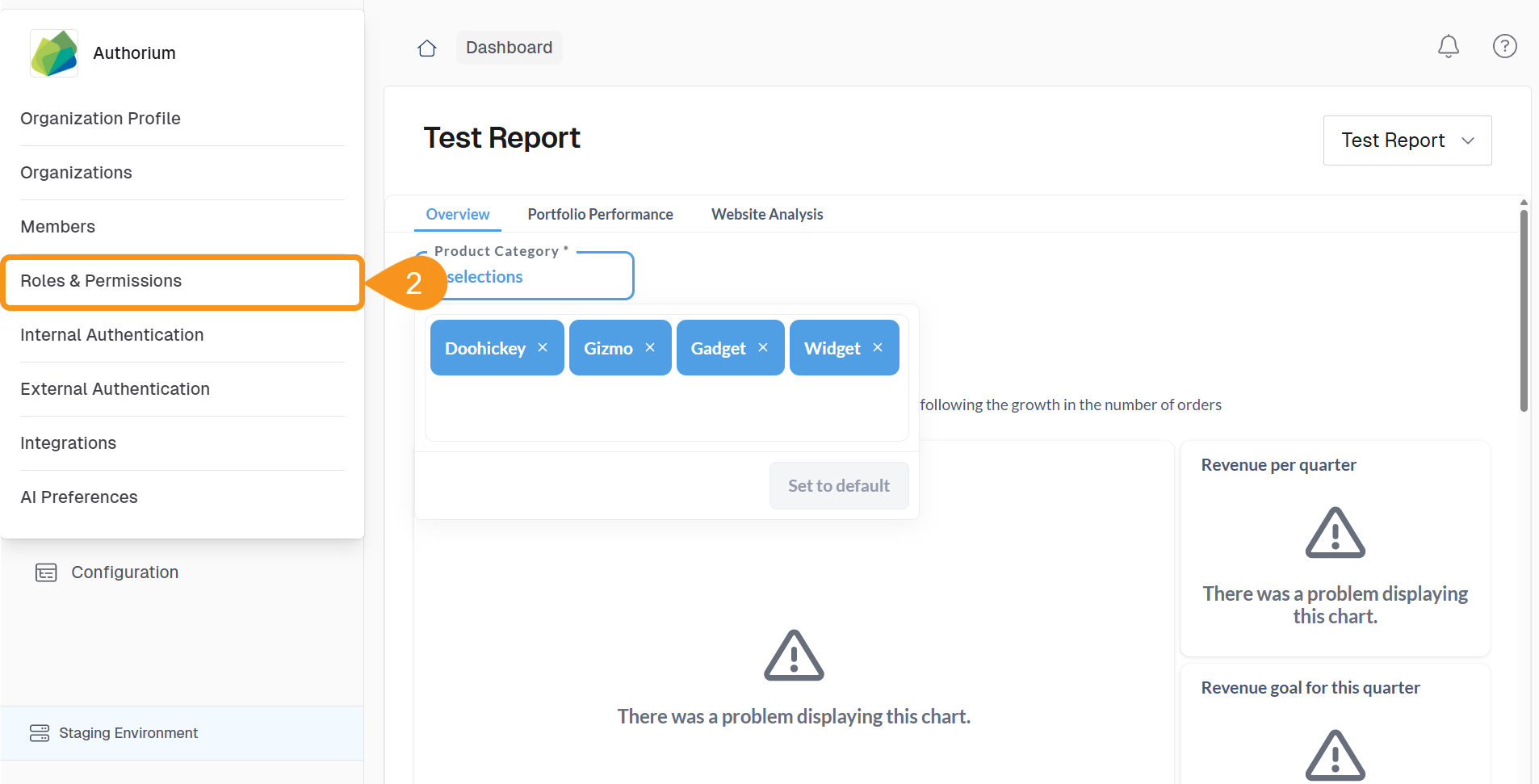
- Select Roles & Permissions.
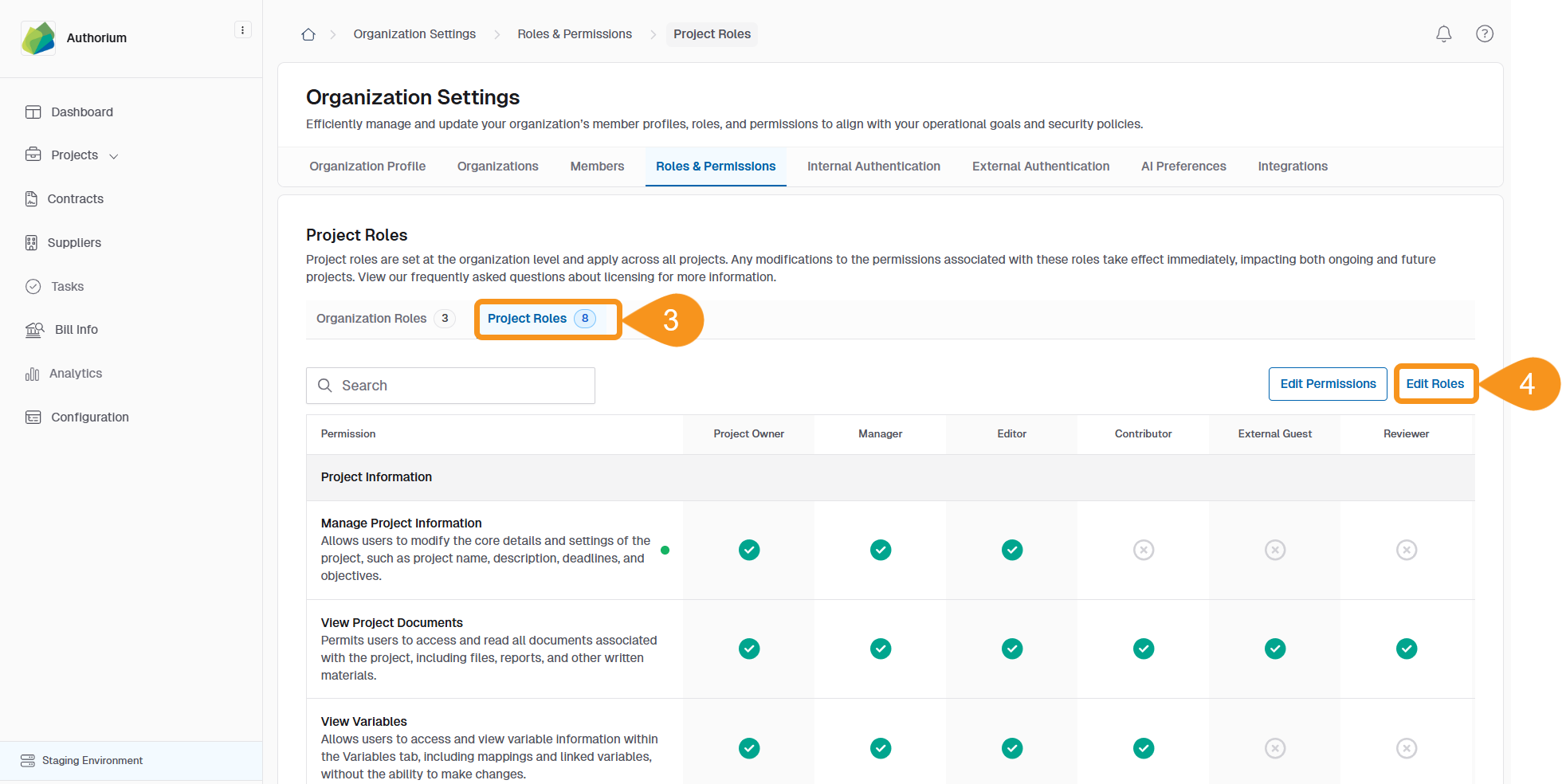
- Go to the Project Roles tab.
- Click Edit Roles in the top right corner.
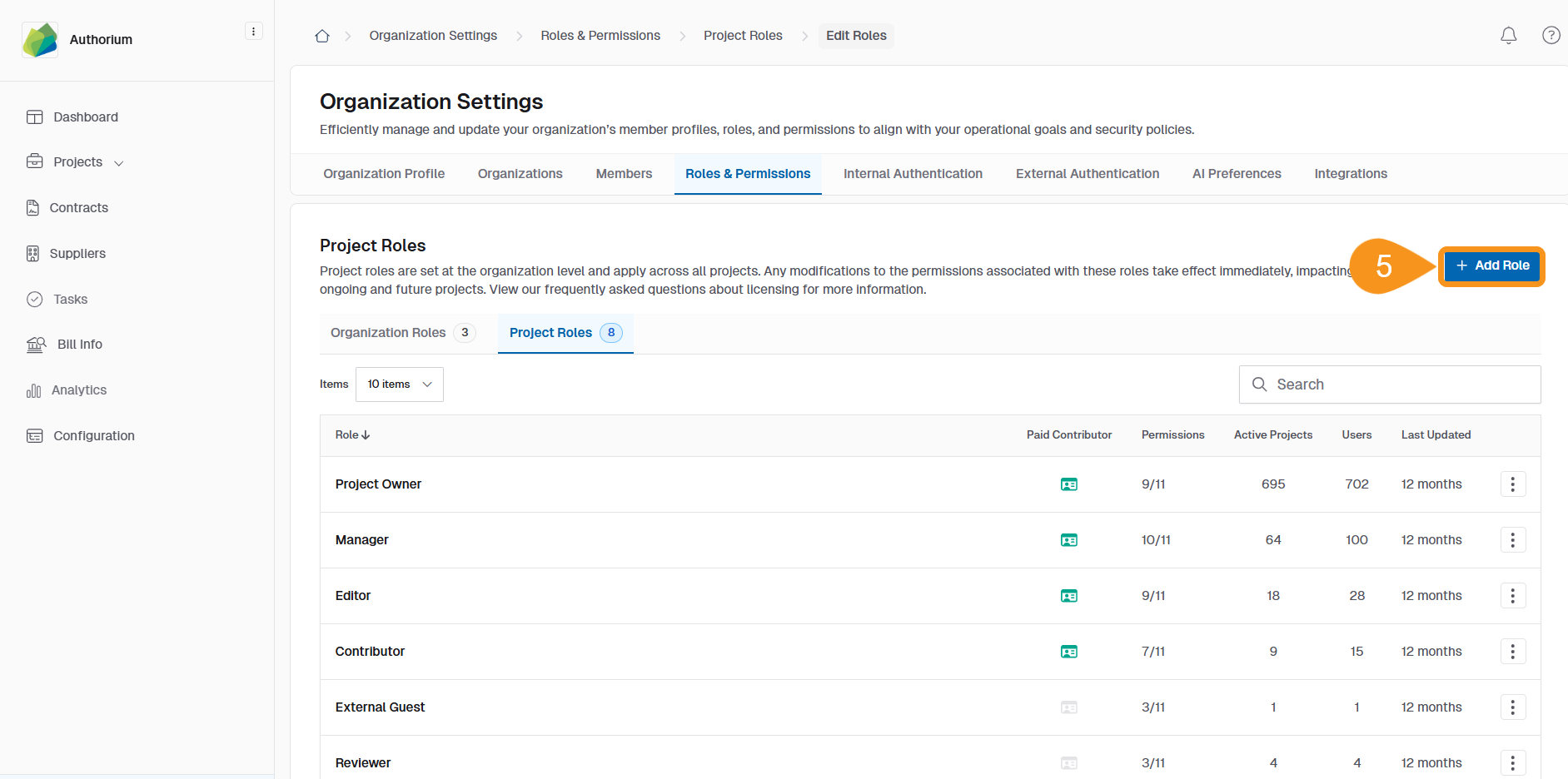
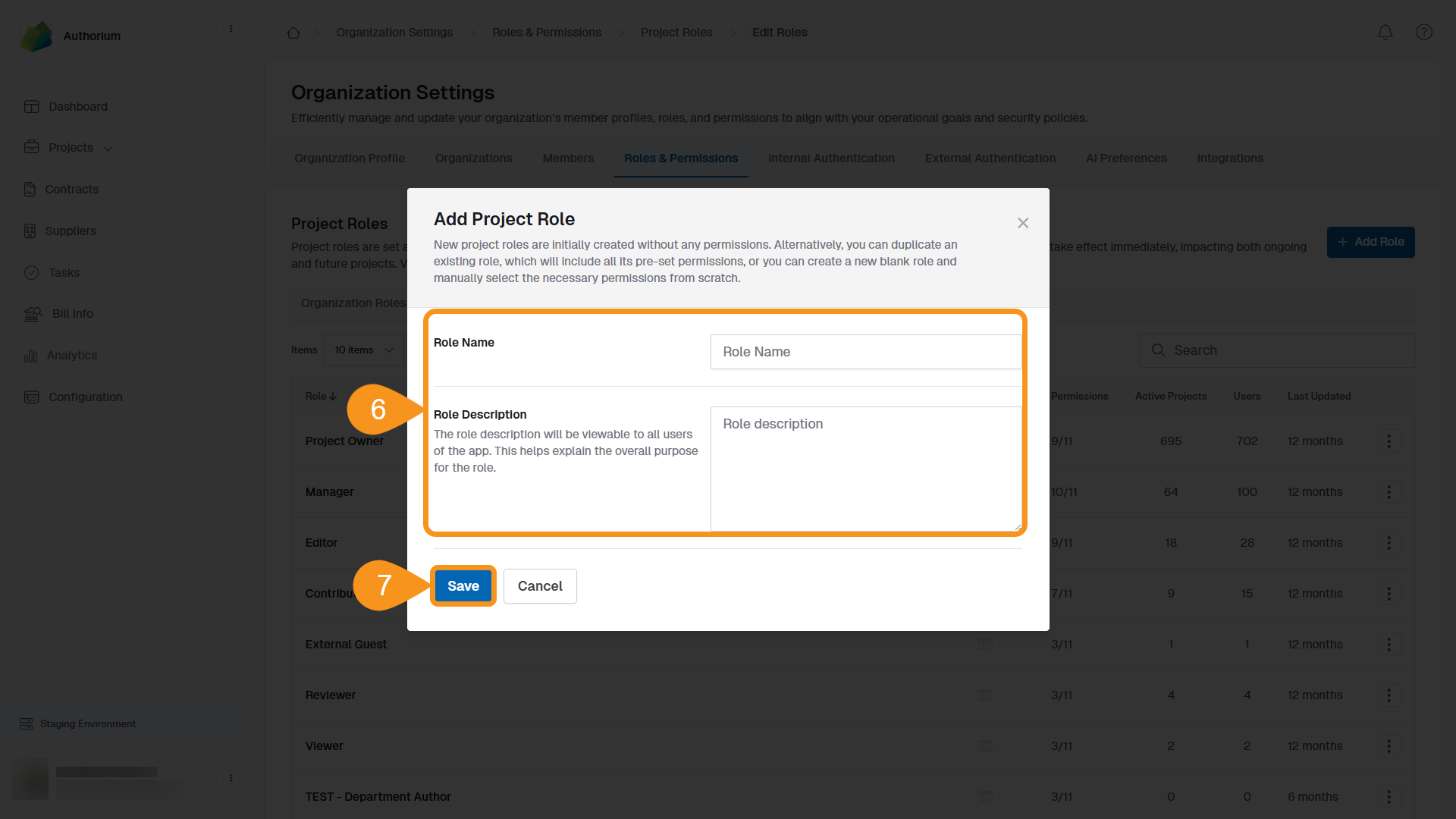
- Click Add Role to create a new project role.
- Enter a Role Name and Description.
- Click Save to create the role.
To Edit an Existing Role
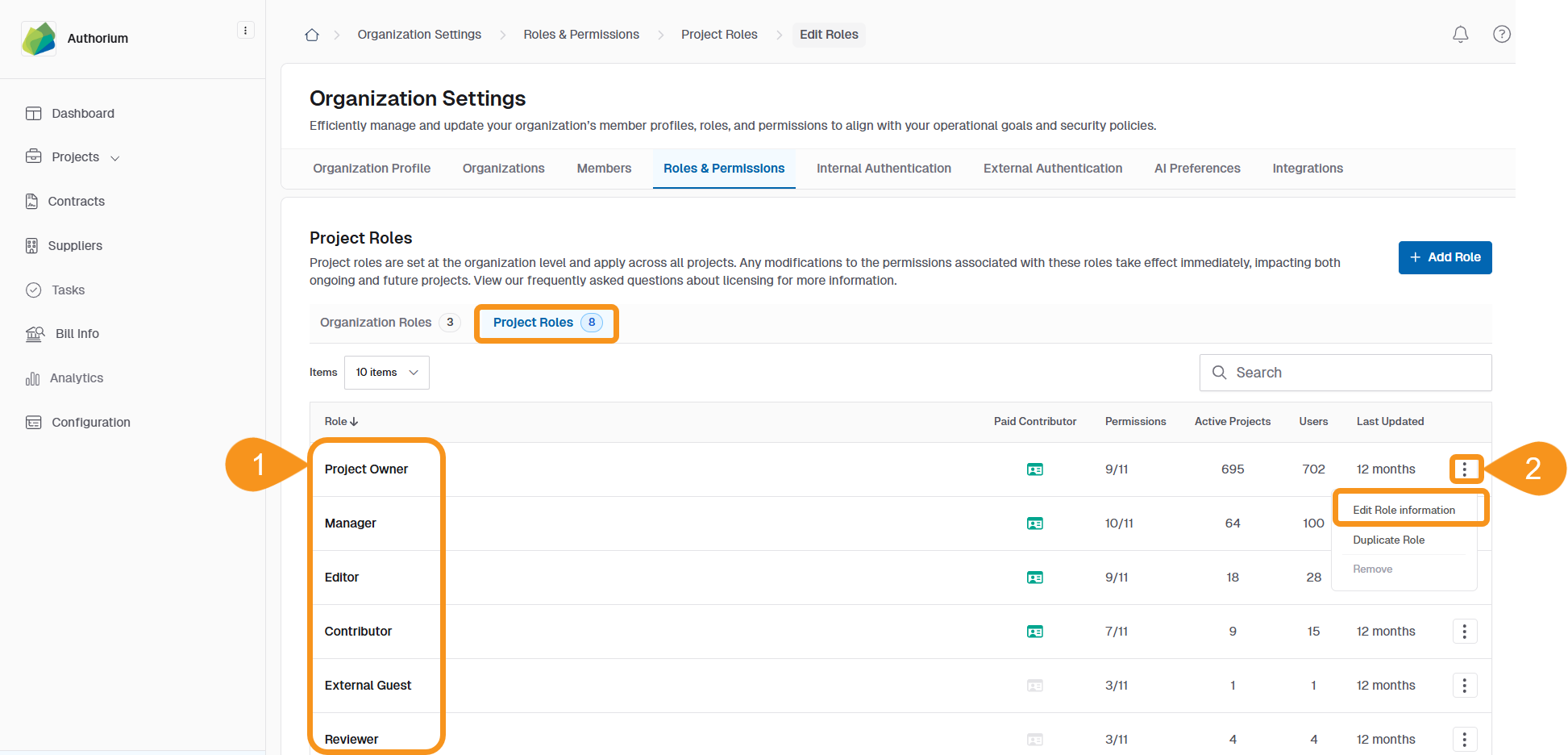
- From the Project Roles list, find the role you want to edit.
- Click the three-dot menu next to the role and select Edit Role Information.
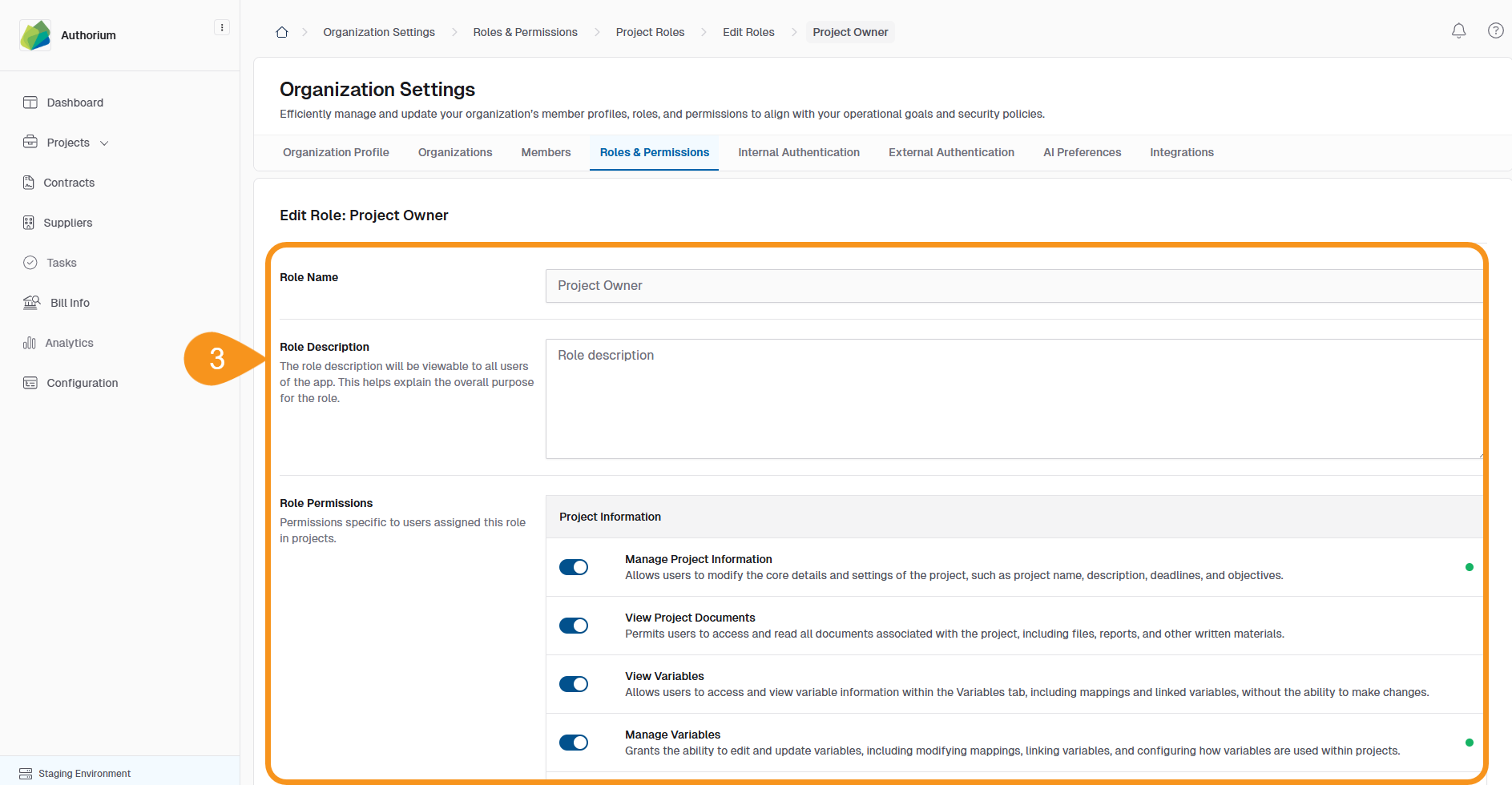
- Update the Name, Description, or adjust Role Permissions as needed.
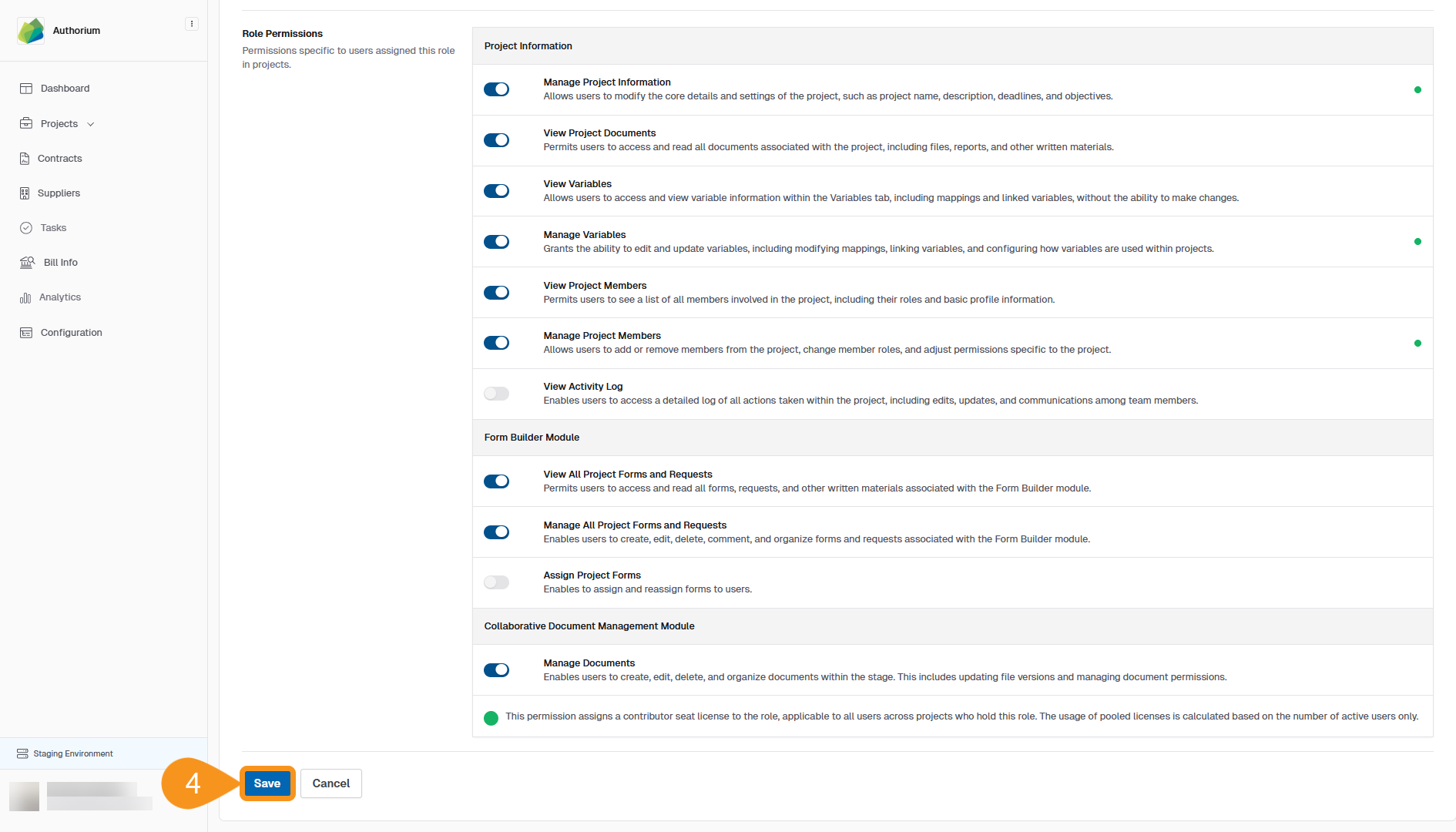
- Click Save to apply your changes.
Note
These project roles are different from Organization Roles, which are managed separately in the Admin section.
See Also
To complement your knowledge of this process, check the following pages: