Add Suppliers
Suppliers are added via the Online Submissions workflow stage of any project. Adding a supplier also adds them to the Supplier Repository for future use.
When to Add Suppliers
You should add suppliers when:
- You are preparing a pre-bid project and want to invite participants.
- You need to register a new supplier for tracking and invitations.
- You are updating the Supplier Repository.
To Add a New Supplier
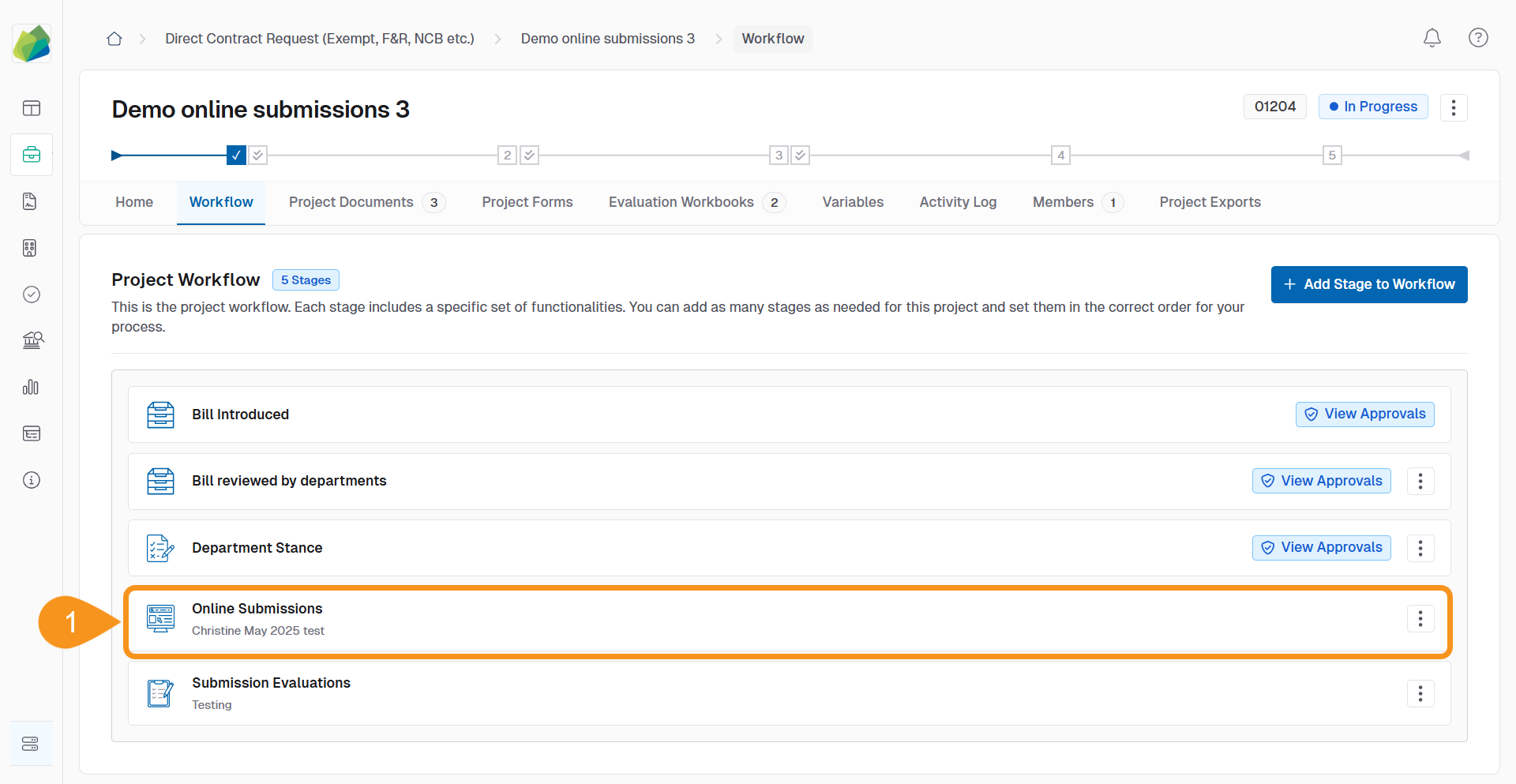
- Open a project’s Online Submissions stage.
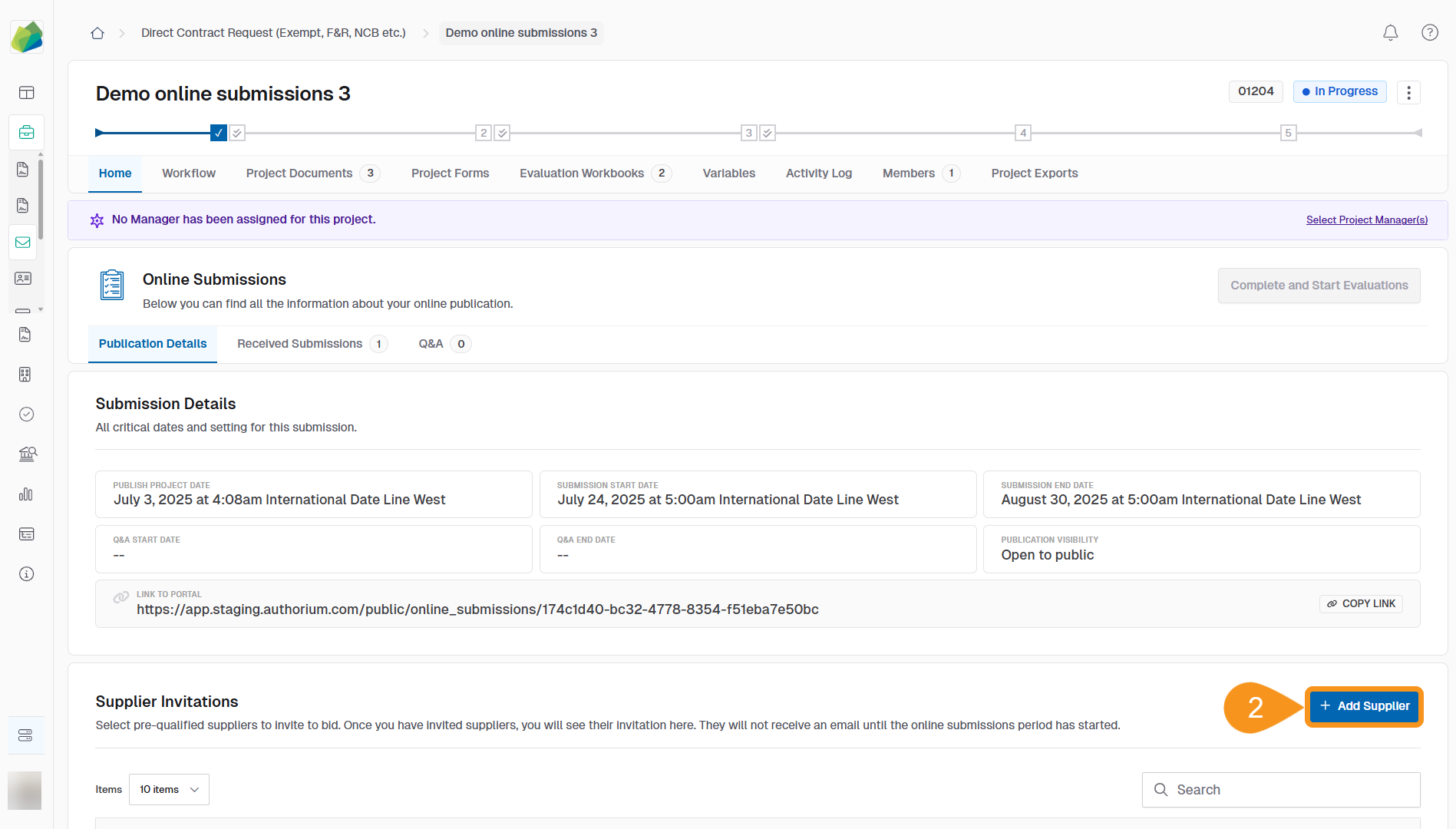
- Go to the Supplier Invitations section and click + Add Supplier.
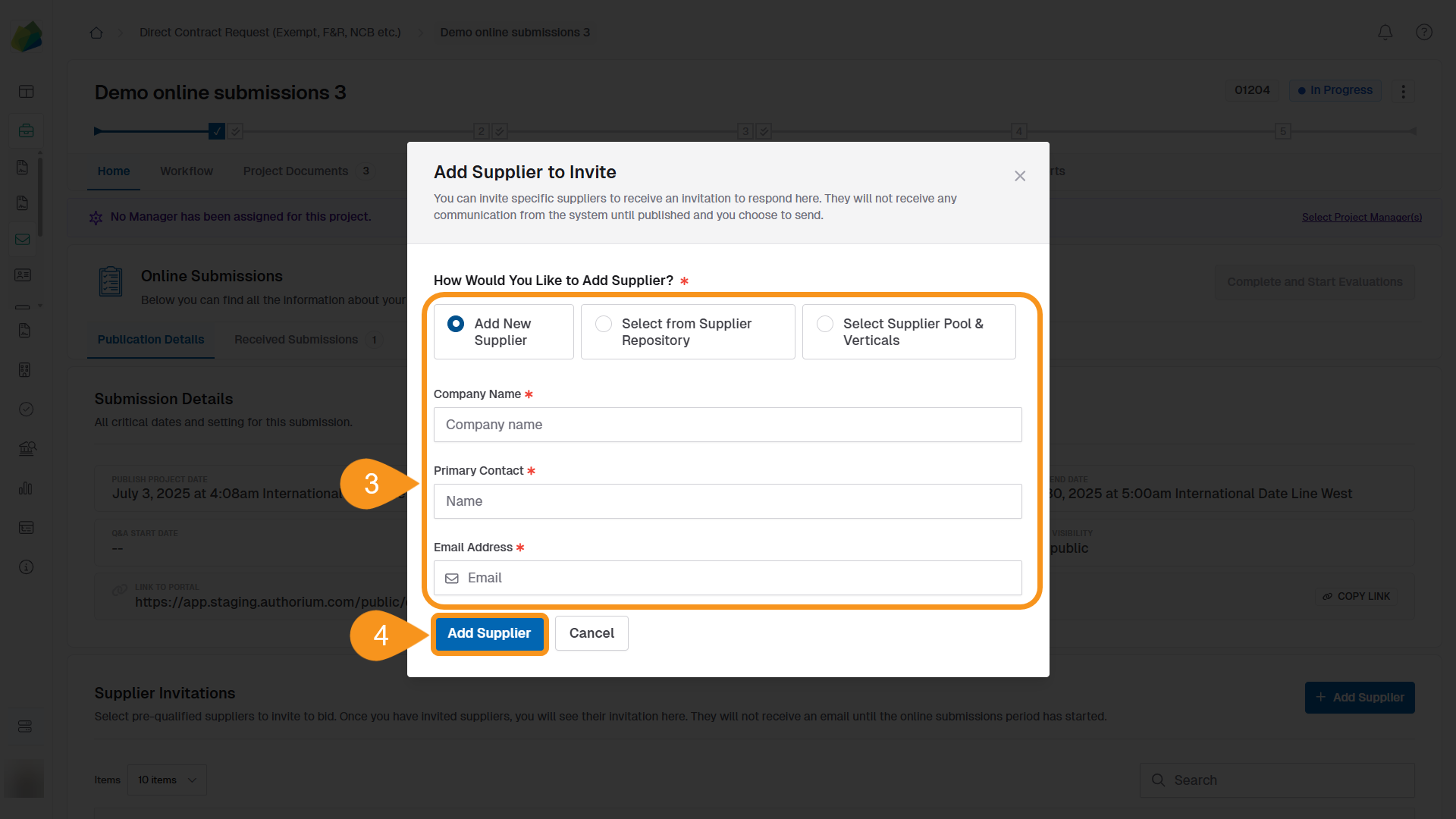
- In the modal, select one of the following methods to add suppliers:
- Add New Supplier
- Fill in the required fields:
- Company Name (required)
- Primary Contact (optional)
- Email (optional)
- Fill in the required fields:
- Select from Supplier Repository
- Use the search bar to find and select an existing supplier organization from your repository.
- Select Supplier Pool & Verticals
- Choose predefined groups and relevant verticals based on your project.
- Add New Supplier
- Click Add Suppliers to confirm.
See Also
To complement your knowledge of this process, check the following pages: