Edit a Global Document Content
This guide explains how to edit the actual content of a Global Document Template in Authorium. This includes modifying sections, text, and placeholders that will be reused in project templates.
When to Edit Document Content
You should edit the document content when:
- You need to update standard text or legal language.
- You want to add, remove, or reorganize sections in the document.
- You need to insert or update dynamic variables (e.g.,
{{projectName}},{{startDate}}).
To Edit the Document Content
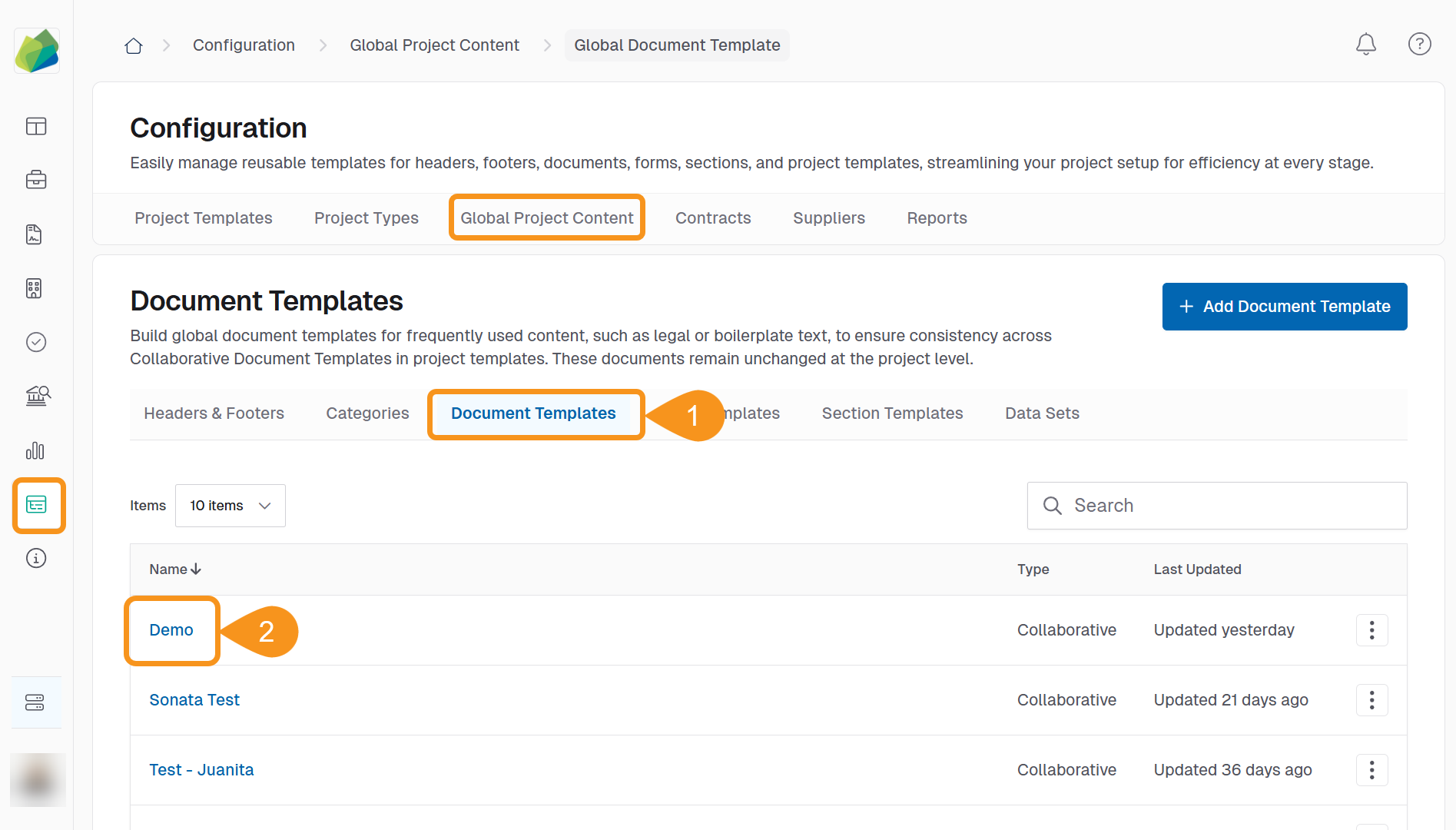
- Go to Configuration > Global Project Content > Document Templates.
- Locate the document you want to update and click its name to open it.
You will enter the Document Editor, where you can manage sections and content.
To Add a Section
- Click + Add Section.
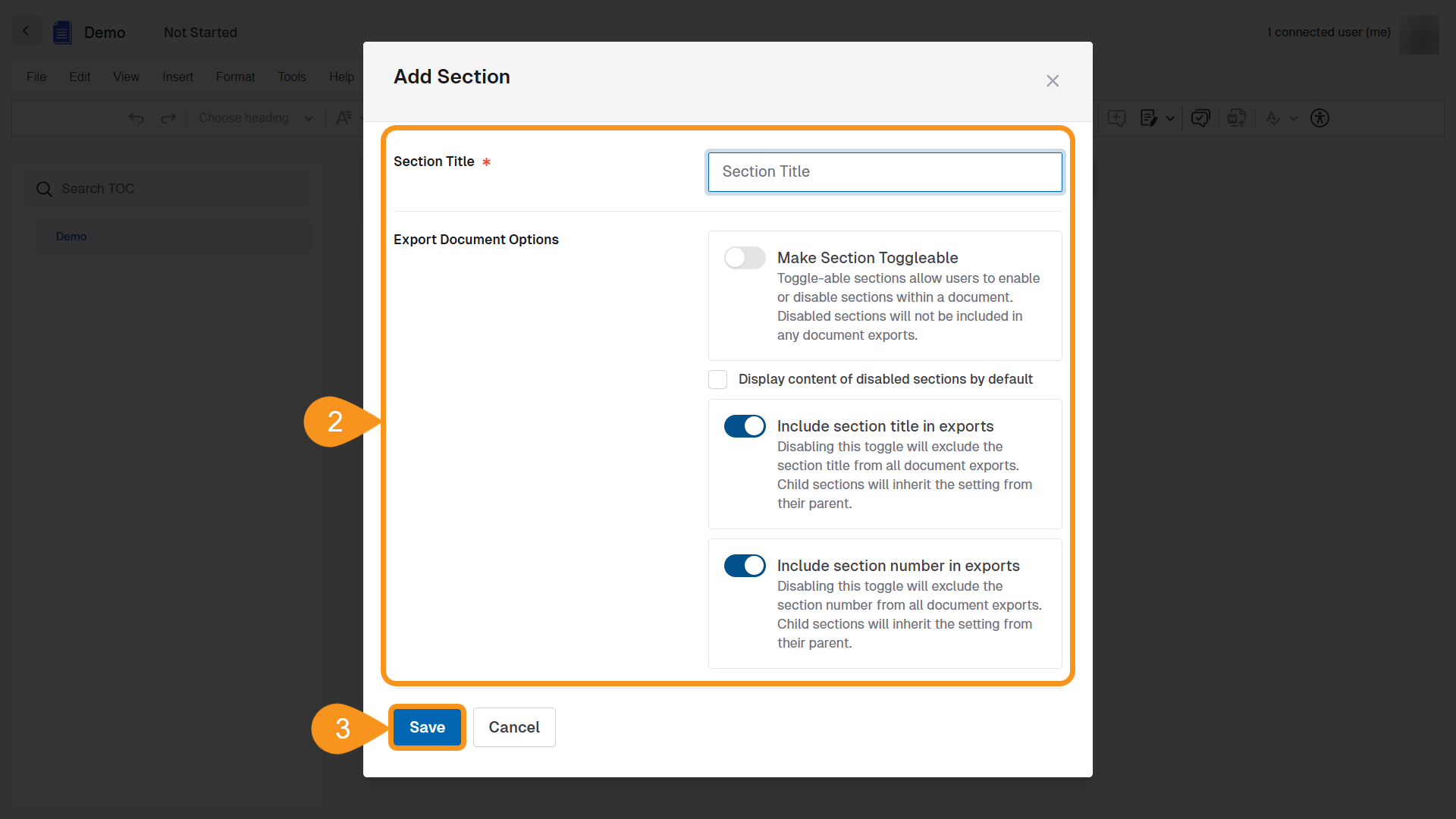
- In the Add Section modal:
- Enter a Section Title.
- Configure Export Document Options:
- Make Section Toggleable: Allows users to enable or disable this section during project use.
- Display content of disabled sections by default: Shows content even if the section is disabled.
- Include section title in exports: Toggle to include or hide the section title in document exports.
- Include section number in exports: Toggle to include or hide numbering in document exports.
- Click Save to add the section to the document.
To Add Content to a Section
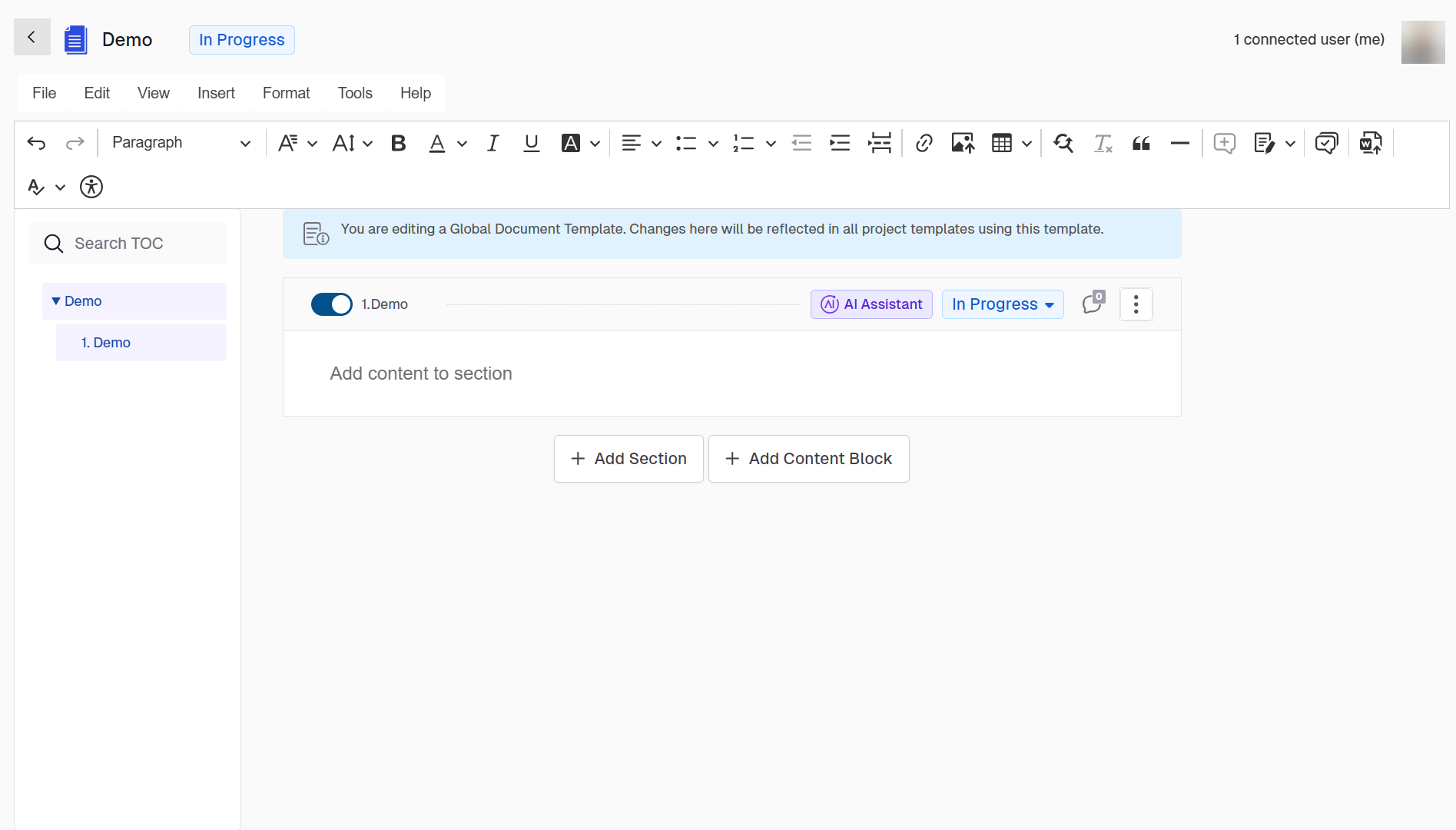
- Once the section is created, you will see it in the document’s table of contents and main body.
- Use the formatting toolbar to add headings, paragraphs, lists, tables, variables, and more.
- Click + Add Content Block to insert reusable content segments within the section.
- To define hierarchy or nesting (e.g., subsections), use the Add Subsection option from the section’s overflow menu (⋮). This automatically creates a properly nested section like 2.1, 2.2, etc., under the selected parent section.
Important
Changes made to a global document template will not affect existing projects. Only new projects using this template will reflect the updates.
See Also
To complement your knowledge of this process, check the following pages: