Assign Owners to Ownership Blocks
Assign Owners to Ownership Blocks This guide explains how to assign users to Ownership Blocks in a project template. Ownership ensures that the right people are notified and activated at the right time in a workflow.
When to Assign Owners
Assign owners once your project template has:
- At least one Ownership Block.
- Workflow stages added to each block.
You must assign at least one owner per block before publishing the template.
To Assign an Owner to a Block
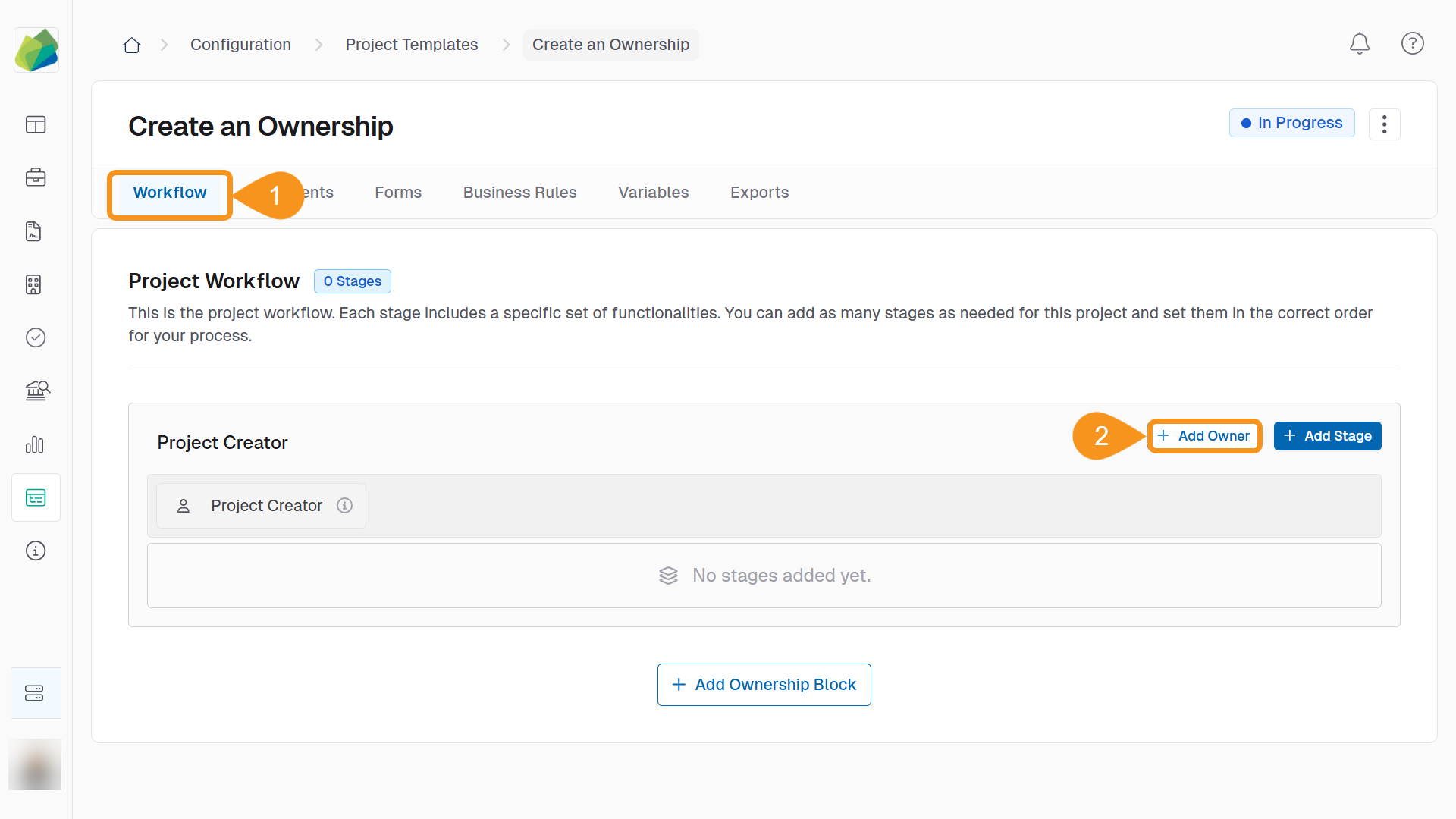
- In the Workflow tab of the project template, locate the Ownership Block you want to configure.
- Click + Add Owner.
- Use the search bar to find the user by name or email.
- Select the user and click + Add Owners.
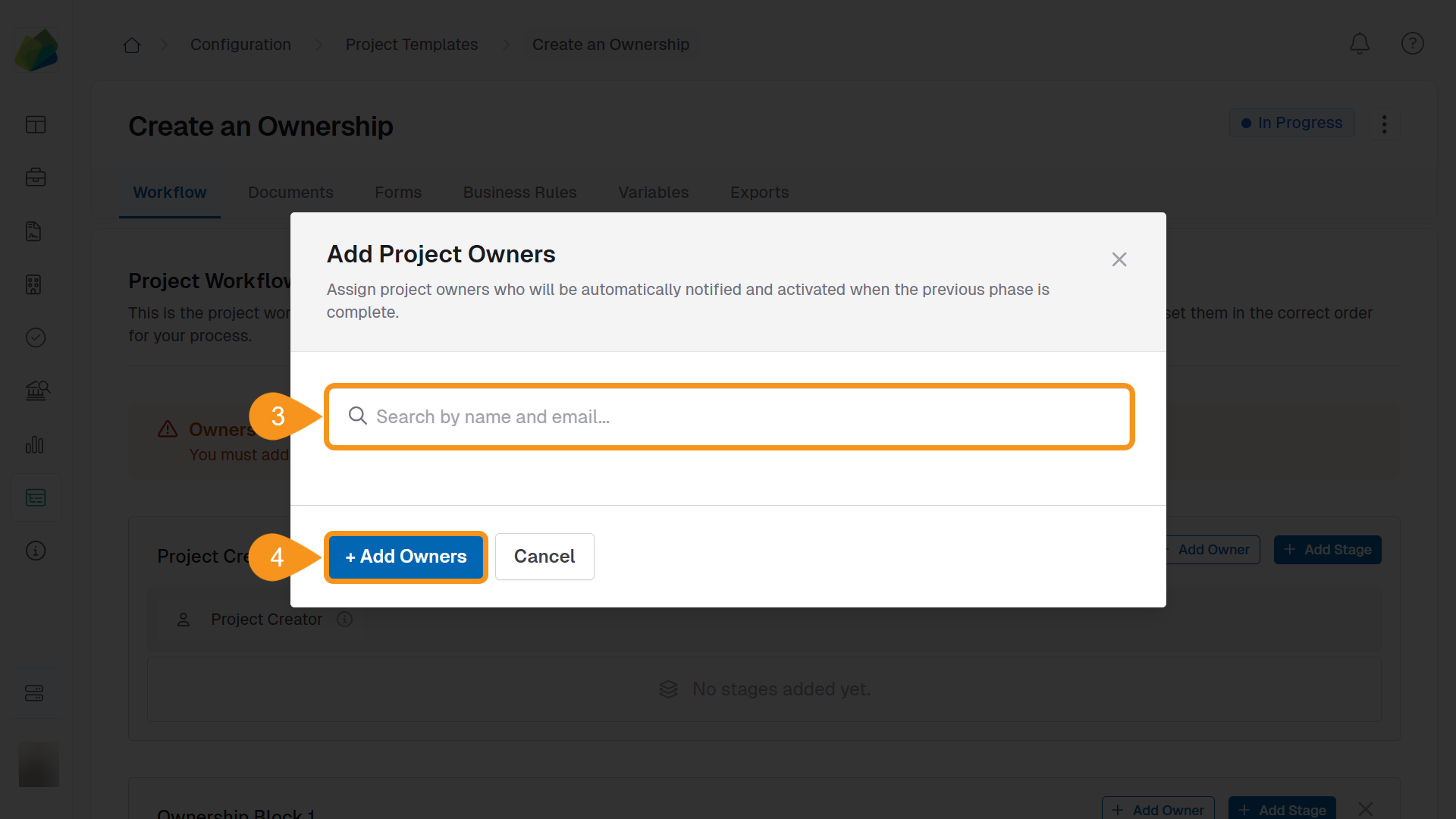
You must assign at least one owner to every block before the project template can be published.
Ownership Block Rules
- Each block must have at least one owner and one stage.
- You can have multiple ownership blocks in a single project template.
- Owners are notified when it’s their turn to act in the project.
- Ownership blocks must not overlap. Each stage can belong to only one ownership block at a time.
If you receive a warning like "Owners Required for All Stages," verify that every ownership block has both a stage and an owner assigned.
See Also
To complement your knowledge, check the following guides: